

Zoho Books for Bookkeeping Firms: Retainers That Bill Themselves and Month-End Closes You Can See
How a small bookkeeping and payroll practice can bill every package automatically, charge for extra work and track each client month to finished reports.
Zoho Books for Bookkeeping Firms: From Signed Package to Closed Month
One path for billing, one path for the monthly work
 Zoho CRM
 Zoho Books
 Zoho WorkDrive
Sign
Package and fee on the deal
Bill
Recurring invoice created
Request
Upload link sent on the 1st
Close
Tasks per client month
Log extras
Billable time per client
Review
Closes, time, payments
Zoho Books for bookkeeping firms earns its place when the firm’s own back office is the messy part: retainers keyed by hand each month, catch-up work that never reaches an invoice, and a hundred inboxes to chase for bank statements. The firm keeps other people’s books in order, and its own billing is the last thing anyone fixes.
This overview uses an example business: a bookkeeping and payroll services firm with six staff and around a hundred small-business clients billed every month. It shows how Techwave Solutions would connect Zoho CRM, Zoho Books and Zoho WorkDrive so that signing a client sets up monthly retainer billing and each month runs from one checklist. Names and figures in the screens are sample data.
A won deal in Zoho CRM creates the client in Zoho Books, and a Deluge function builds the recurring invoice, so monthly retainer billing no longer depends on memory. Extra work is logged as billable time. A scheduled function opens a Monthly Close record per client, and client document collection runs through a WorkDrive upload link with reminders.
Table of contents
The challenge: retainers by hand and documents by email
On the first working day of the month, the owner of the example firm copies last month’s invoice list forward, one client at a time. A client who upgraded in the summer is still billed the old fee, and two clients signed last week are missed because their emails sit in a partner’s inbox.
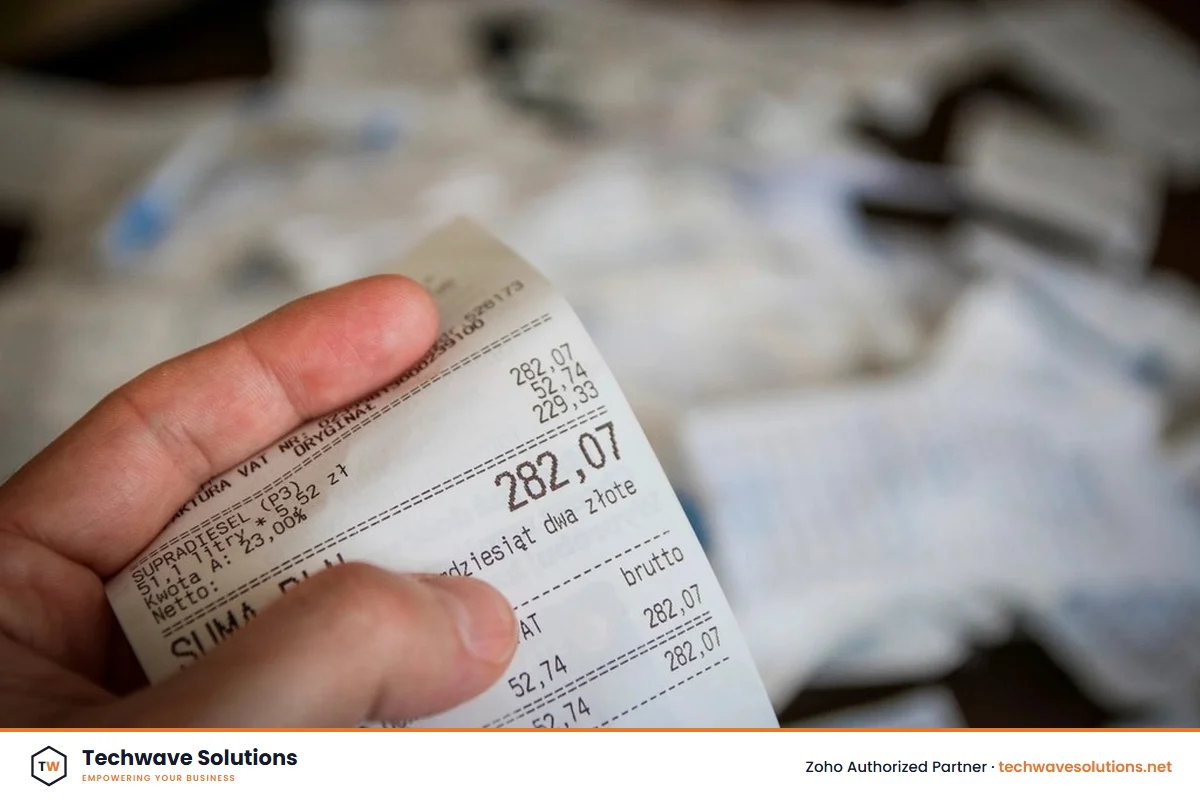
Then the chasing starts. Each bookkeeper emails their clients for statements and receipts, and replies arrive as attachments, phone photos or not at all. Client document collection is a personal job with no shared view. Meanwhile a client who needed two extra payroll runs gets the usual invoice, because the extra hours were never written down.
Retainers raised by hand
Invoices copied forward by hand miss changed fees and new clients.
Extra work given away
Catch-ups and extra payroll runs are done but rarely billed.
Documents chased one by one
Every month, every client is emailed and replies scatter.
No view of the month
Nobody knows which months are closed, waiting or in review.
Onboarding adds one more gap: the agreed tier, payroll headcount and price live in an email chain, so the first invoice means rereading the thread.
Fees, hours and documents in three separate piles
Each pile is complete only in someone’s head
 Fee sheet
Clients and fees
Catch-ups and reruns
Statements and receipts

Before: fees in a sheet, extra hours in memory and client documents spread across inboxes (illustration)
Why bookkeeping practices outgrow their own admin
A bookkeeping practice sells the same service to many clients in different sizes: thirty transactions and no staff for one, four hundred transactions and a payroll of twelve for another. Packages change as clients grow, and with a hundred clients a manual list cannot keep monthly retainer billing in step with those changes.
Extra work is the second leak. A catch-up quarter happens in a busy week, and by month end the hours have blended into the rest. Time not captured against the client while it happens is not billed.
The third pressure is the calendar. Every close depends on documents the firm does not control, and when requests go out by personal email nobody can see who has replied. Billing, extra work and client document collection all need a record per client that the system keeps current.
Why Zoho, and not a better fee sheet or a separate practice tool
A tidier spreadsheet still needs someone to raise each invoice and chase each payment. A standalone practice tool could track the close but would leave billing elsewhere. Zoho Books for bookkeeping firms closes that gap: the recurring invoice, billable hours and payment share one ledger, and Zoho CRM and Zoho WorkDrive connect to it without middleware. Many bookkeepers already know Zoho Books from client work, which shortens training.
Tidy the fee sheet, keep emailing
- Invoices still raised by hand
- Extra hours still unrecorded
- No card or bank charging
- Close status by asking around
Zoho Books with Zoho CRM and WorkDrive
- Recurring invoices built from the deal
- Billable time on a client project
- Automatic charging and reminders
- One Monthly Close record per client
The solution design: Zoho Books for bookkeeping firms in three connected parts
Zoho CRM holds the sale and the monthly work, Zoho Books holds the money, and Zoho WorkDrive holds the files. Zoho Books for bookkeeping firms works best when the field list is agreed in discovery.
Deals with the package
Tier, payroll headcount, extras, fees and start date.
Recurring invoices
One profile per client for monthly retainer billing.
Retainer invoice
The setup fee is collected before onboarding work begins.
Projects and timesheets
Billable extra hours per client.
Monthly Close module
One record per client month, with tasks.
Client folders
A WorkDrive folder for client document collection.
The package on the deal becomes the invoice
A function reads the deal and builds the billing profile
DealClosed WonSample plumbing firm, monthly package
Recurring invoiceActiveA won deal in Zoho CRM and the recurring invoice a Deluge function creates in Zoho Books (illustration)
Setting up monthly retainer billing in Zoho Books
Each step names its trigger, data and result. Monthly retainer billing starts from the signed deal and runs without anyone copying last month’s list.
Record the package on the CRM deal
Trigger: a prospect agrees a package. Data: Bookkeeping Tier (by monthly transaction volume), Payroll Headcount, an Extras multi-select (year-end pack, catch-up months), Monthly Fee, Setup Fee and Service Start Date. Next: the deal cannot be won until these are filled, so the price lives on the record.
Create the customer in Zoho Books
Trigger: the deal is marked Closed Won. Data: the account and its billing contact. Next: the Zoho CRM integration in Zoho Books syncs the account as a customer, so there is one client list, not two.
A Deluge function builds the recurring invoice
Trigger: a workflow rule on Closed Won calls a function. Data: the Books customer ID, the package fields and the Service Start Date. Next: the function creates a monthly recurring invoice with a bookkeeping line and a payroll line, priced from the item list and starting on the first billing date after service begins. When a package changes, the deal is updated and the function edits the profile.
Raise the setup fee as a retainer invoice
Trigger: the same function runs. Data: the Setup Fee. Next: a retainer invoice goes to the client. Onboarding starts once it is paid, and the payment can be applied to a later invoice.
Four steps, no invoice typed by hand
Each month the profile does the routine work
Generated
Invoice created on schedule
Zoho BooksCharged
Saved card or bank account
Zoho BooksReminded
If unpaid after the due date
Zoho BooksPaid
Seen in the client portal
Zoho BooksThe monthly billing cycle for one client in Zoho Books (illustration)
Automatic charging through a payment gateway
Trigger: the recurring invoice is generated. Data: a card or bank account the client saved when paying online, associated with the profile. Next: with the preference set to create, charge and send, Zoho Books charges it through a supported gateway and emails the paid invoice. Bank charging depends on the gateway chosen.
Payment reminders for everyone else
Trigger: an invoice passes its due date unpaid. Data: the due date and the reminder schedule. Next: Zoho Books sends the firm’s reminder emails, for example three days and ten days after the due date. Nobody writes the awkward email by hand.
Extra work logged as billable time
Trigger: a bookkeeper starts a catch-up month or an extra payroll run. Data: the client’s Extra Work project in Zoho Books, a task and the hours. Next: the time sits in the timesheet as unbilled until the billing lead invoices it from the project at month end, in the same cycle as monthly retainer billing.
The monthly close and client document collection
Billing is half the job. The other half is the close, and it starts with client document collection. This part lives in Zoho CRM, with Zoho WorkDrive holding the files.
A Monthly Close custom module
Trigger: set up once in CRM. Data: Client (account lookup), Period, Bookkeeper, Reviewer, Payroll Included, Documents Requested On, Documents Received On, Close Due Date and Status: Waiting on client, In progress, In review, Closed. Next: every client month is one record to filter and report on.
A scheduled function opens the month
Trigger: a CRM schedule runs on the first day of each month. Data: every account with Client Status set to Active. Next: the function creates a Monthly Close record per client with five dated tasks: request documents, bank reconciliation, payroll run (when Payroll Included is ticked), review and send reports.
A WorkDrive folder and upload link per client
Trigger: onboarding. Data: a client folder in Zoho WorkDrive with an Uploads subfolder. Next: an external share link with upload access is created for Uploads and stored in an Upload Link field on the account. Working papers stay in folders the client cannot see.
One email, one link, one place for the files
The month opens and the request goes out by itself
Monthly CloseWaiting on clientSample bakery, October 2020
Uploads folder2 of 3 inA Monthly Close record in Zoho CRM and the client’s WorkDrive uploads folder (illustration)
The request email goes out with the record
Trigger: a Monthly Close record is created. Data: the client’s contact, the Period and the Upload Link merge field. Next: a workflow rule sends the standard request email and stamps Documents Requested On, so client document collection starts the same day for everyone.
Reminders when nothing arrives
Trigger: a daily scheduled function. Data: records still Waiting on client past the agreed number of days. Next: a reminder goes to the client, and a second one also creates a call task for the bookkeeper. People chase only when emails have failed.
Status moves with the work
When files arrive, the bookkeeper fills Documents Received On and sets In progress. The review task moves it to In review, and sending reports sets Closed. The late list stays accurate without a meeting.
Rollout timeline
Discover
Packages, items, fees, close steps.
Clean data
Client list, fees, contacts.
Configure billing
Items, profiles, gateway, reminders.
Configure the close
Module, schedule, folders, emails.
Pilot
Ten clients for one full month.
The pilot matters more than the build. Ten clients run one full month: a profile charged, a reminder sent, a catch-up billed and a close taken to reports. The rest follow in batches.
Dashboards for client document collection and billing
The owner needs four answers each week. Close status and client document collection come from a Zoho CRM dashboard on the Monthly Close module; unbilled time and unpaid invoices come from Zoho Books reports.
Waiting on documents
Months waiting on the client.
Closes past due
Open past the due date.
Unbilled time
Hours not yet invoiced.
Unpaid retainers
Overdue invoices and setup fees.
The practice month on one screen
Close status from CRM, money from Books
Monthly close overviewExample monthly close overview for a bookkeeping practice, with sample figures (illustration)
What changes, and how to measure it
This example has no measured baseline, so the table lists intended changes and the cards show how to check them. Take a baseline from the last three months of invoices first.
Invoice coverage
Compare active clients in CRM with recurring profiles in Books. A client without a profile is a gap in monthly retainer billing.
Extra work billed
Compare hours logged with hours invoiced the same month, using the unbilled time report.
Document arrival
Count client months with documents in before the first reminder. This shows whether client document collection works without chasing.
Closes on time
Count closes done by their due date, by bookkeeper. This shows whether the Zoho Books for bookkeeping firms setup keeps closes on time.
Day to day for each role
Each person works from a short list. Agreeing roles first keeps Zoho Books for bookkeeping firms simple for a busy team.
Bookkeeper
Works close tasks and logs extra hours.
Payroll lead
Completes payroll tasks; extra runs become billable time.
Reviewer
Checks reconciliations and sends reports.
Billing lead
Owns monthly retainer billing, unbilled hours and failed charges.
Owner
Fills package fields and reviews the dashboard.
Client
Uploads statements and pays invoices in the portal.
Zoho Books for bookkeeping firms FAQ
Can Zoho Books charge clients automatically each month?
Yes. In Zoho Books for bookkeeping firms, a recurring invoice can charge a saved card, or a bank account on supported gateways, and send the paid invoice.
How does a won deal become a recurring invoice?
The CRM integration creates the customer in Books, and a Deluge function reads the package fields to build the recurring profile.
How is extra work billed?
Bookkeepers log billable hours on the client’s project, and the billing lead invoices them with monthly retainer billing.
Do clients need a Zoho account to upload documents?
No. For client document collection, the WorkDrive link with upload access works in a browser and opens only the Uploads folder.
How does the firm see which months are late?
Each client month is a Monthly Close record with a status and due date, shown on a CRM dashboard.
How Techwave Solutions can help
Techwave Solutions is an Authorized Zoho Partner working with Zoho since 2015. We set up Zoho Books for bookkeeping firms: package fields, recurring invoice functions, gateway and reminders, project time, the Monthly Close module and client document collection folders, with training on your own clients.
Learn more about Zoho Books, see a related setup in our Zoho CRM for real estate overview, or book a free first call with a Zoho consultant to map your own billing and close process.
Talk to a Zoho consultant
Choose the Zoho plan that fits your practice
Zoho Books for bookkeeping firms runs the billing. Zoho CRM adds deals and the close, and Zoho One brings Books, CRM and WorkDrive together.
Recurring invoices, retainers, time and the client portal
Sign up for Zoho Books
Partner sign-up links from Techwave Solutions, an Authorized Zoho Partner.
This is a solution overview built around a composite example. Business details and dashboard figures are examples, not results reported by a specific client.