

Zoho CRM for Event Sponsorship: Sell Every Booth Once and Deliver Every Package
How a conference organiser selling sponsorships, exhibitor booths and partner packages can keep limited inventory honest, collect sponsor assets on time and invite last year’s sponsors back.
Zoho CRM for Event Sponsorship: One Deal per Sponsor per Event
From the first proposal to signed contract, collected assets and a renewal for the next edition
 Zoho CRM
 Zoho Sign
 Zoho Forms
Package
Tier and inventory item
Check
Units still available
Sign
Contract from the deal
Deliver
Dated deliverables
Collect
Logos and pass names
Renew
Next edition deal
Zoho CRM for event sponsorship answers the question every conference sales lead dreads on a busy afternoon: has that corner booth already been sold? When ten people sell from a fixed floor plan, a limited set of keynote slots and a handful of branded areas, the inventory is the product, and a personal spreadsheet per seller cannot protect it.
This overview uses an example business: an organiser running a few large annual business and technology events, selling sponsorship tiers, exhibitor booths and partner packages through a team of about ten sales people. It covers the problems, the CRM design, the inventory check, contract signing, sponsor deliverables, renewals and reporting. Names and figures in the screens are sample data.
Sponsor deals kept in separate spreadsheets lead to slots sold twice, assets chased by email and past sponsors forgotten. A tailored Zoho CRM setup links every deal to an event and an inventory item, blocks a sale when nothing is left, sends the contract through Zoho Sign and creates dated deliverables on signature. Sponsor package tracking then runs from one record, and the exhibitor sales pipeline for each event is visible to management at any time.
Table of contents
Quick summary
Who it suits
Organisers selling sponsorships, booths and partner packages
Zoho apps
Zoho CRM with Zoho Sign and Zoho Forms
Problem
Double sales, chased assets, forgotten renewals
Setup
Events module, inventory check, contract, deliverables
Outcome
Inventory and deliverables you can trust, measured after a pilot
The challenge: ten sellers, one floor plan, ten spreadsheets
In the example business, each sales person keeps their own spreadsheet of sponsor conversations. One seller offers a software company the corner booth by the entrance. A colleague offers the same booth to a hardware vendor, because the floor plan was last updated on Monday. Both say yes, and the organiser loses revenue or goodwill.
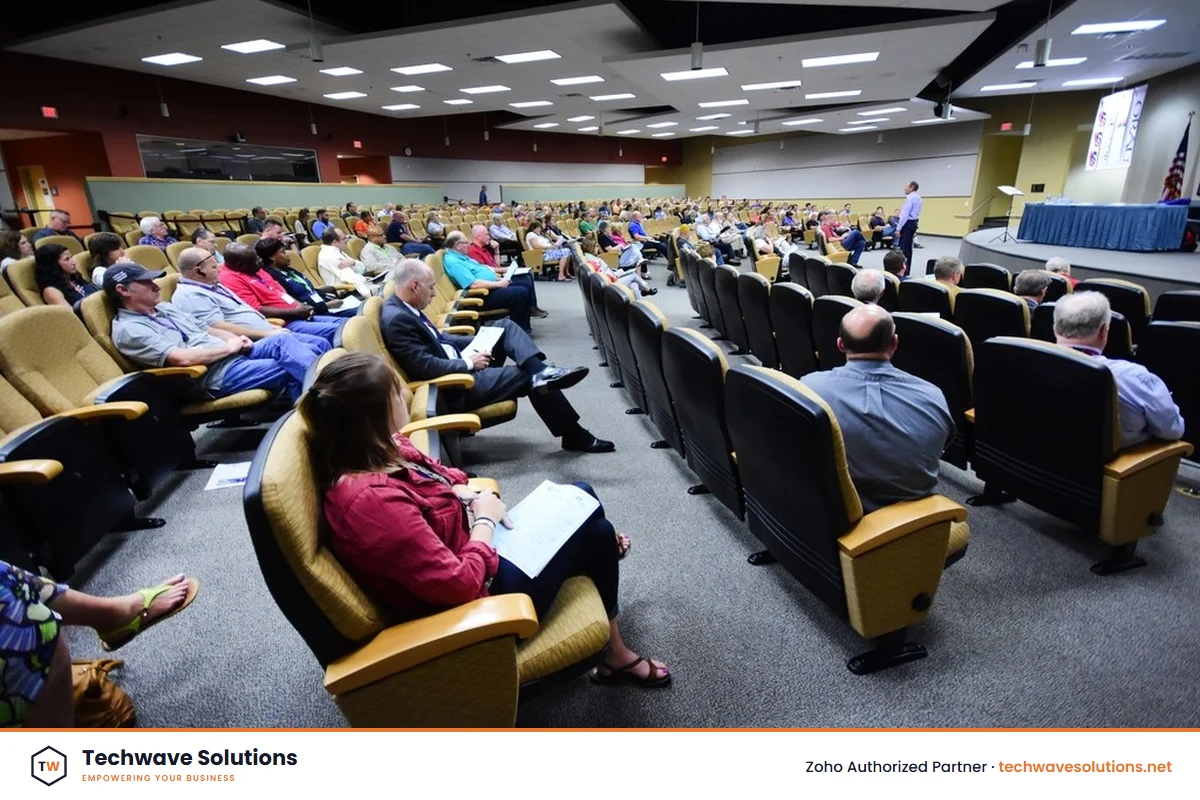
The trouble continues after signature. The sponsor still owes a logo, pass names, booth requirements and ad copy, all chased by email. Without sponsor package tracking, a logo can miss the printed signage the sponsor paid for.
Personal spreadsheets
Each seller tracks deals their own way, so the team never shares one view of who is buying what.
Inventory sold twice
Booth spaces, keynote slots and branded areas have no single count, so the same item can be promised to two sponsors.
Deliverables by email
Logos, pass names and booth needs are chased in long threads, and deadlines pass without anyone noticing.
Renewals left to chance
Last year’s sponsors are approached only if their old seller remembers, and some are never asked again.
One booth, two signed sponsors
Every seller has a list, but nobody owns the count
 Seller sheets
Deals per person
Updated weekly
Assets by email

Before: sponsor deals, the floor plan and sponsor assets live in separate places (illustration)
Why sponsorship inventory slips through an exhibitor sales pipeline
Event sponsorship is unusual among sales processes because the stock is fixed and dated. There are exactly twelve corner booths at the autumn summit, one opening keynote and one branded lanyard. Once the event date passes, unsold inventory is worth nothing. That puts pressure on sellers to promise quickly, and quick promises without a shared count are how double sales happen.
The second cause is the gap between signing and delivering. A sale feels finished when the contract comes back, yet the sponsor’s experience depends on small items arriving before print deadlines. An exhibitor sales pipeline that stops at Signed, with no sponsor package tracking, leaves that to memory.
Seller A
Offers the last corner booth and marks it in a personal sheet.
Seller B
Checks the shared floor plan, sees the booth free and sends a contract.
Sales lead
Finds two signed contracts for one booth and has to call a sponsor.
Why Zoho CRM for event sponsorship, instead of a shared sheet or a ticketing tool
A shared spreadsheet helps visibility, but it cannot stop a contract for an item that is gone, and it knows nothing about what happens after signature. Event ticketing tools handle attendees well, yet they are rarely built for a negotiated, multi-stage sponsor sale with quotes and contracts.
Zoho CRM for event sponsorship sits in the middle. Deals, quotes and custom modules model the sale and the inventory, a Deluge validation enforces the count, Zoho Sign handles contracts and Zoho Forms collects assets, so sponsor package tracking continues after the sale.
A shared spreadsheet
- Count updated by hand
- Nothing blocks a double sale
- No contract status
- Deliverables tracked elsewhere
A tailored Zoho CRM
- Available units per event
- Sale blocked at zero
- Contract signed from the deal
- Deliverables created on signature
The solution design: an exhibitor sales pipeline built around events and inventory
The design has six parts, linked by lookup fields so any sponsor deal can be traced to its event, its inventory item, its contract and its deliverables. Field names are confirmed in discovery with the sales lead and the account managers, and the configuration is checked against the CRM edition in use.
Events module
Event name, edition, start and end dates, venue type and status, one record per edition.
Products and inventory
Package tiers and items such as booth sizes, speaking slots and branded spaces, with units per event.
Sponsorship deals
One deal per sponsor per event, moving through seven agreed stages.
Contracts
Sent for signature from the deal, with signed status feeding back to the stage.
Deliverables module
Logo files, pass names, booth requirements and ad copy, each with a due date and owner.
Onboarding form
One form per sponsor deal to upload assets and enter pass names.
From proposed package to a checked contract
The count is read from the event inventory before a contract can go out
Sponsor dealNegotiationGold partner · Autumn summit 2021
Event inventory1 unit leftA sponsor deal checked against the remaining units for its event before the contract is sent (illustration, sample data)
The implementation: eight mechanisms in Zoho CRM for event sponsorship
Each mechanism in the exhibitor sales pipeline is described by its trigger, data and next step. Sellers negotiate and the sales lead settles conflicts; the CRM keeps the count and creates the follow-up work.
Events and inventory set up per edition
Trigger: a new edition is announced. Data: event name, edition, dates and venue in the Events module, and an Event Inventory record for each product, holding Total Units and Units Sold, with Available as a formula field. Next: the sales lead loads the floor plan once, and every seller works from the same numbers.
A deal per sponsor per event
Trigger: a seller opens a conversation with a sponsor. Data: the account, the Event lookup, the package tier and the inventory item. Next: the deal enters the exhibitor sales pipeline at Prospect, then moves through Proposal sent, Negotiation, Contract sent, Signed, Invoiced and Paid.
Quotes built from package line items
Trigger: the seller prepares a proposal. Data: the products for the tier, such as booth, passes and a branded area, with their list prices. Next: a quote is created from the deal with those line items, so the agreed package is the latest quote, not an email attachment.
Seven stages, two hard checks
The inventory count is tested when the contract goes out and again when it comes back
Proposal sent
Quote with package lines
Zoho CRMContract sent
Only if units remain
Zoho SignSigned
Count updated, deliverables created
Zoho CRMAssets in
Onboarding form received
Zoho FormsKey stages of the exhibitor sales pipeline and the app that handles each one (illustration)
Validation that blocks a sold-out item
Trigger: a seller saves a deal at Contract sent or Signed. Data: the deal’s Event and inventory item, and the Available value on the matching Event Inventory record. Next: a validation rule that calls a Deluge function looks up that record and refuses the save with a clear message when Available is zero. The seller learns the item is sold out before a contract goes out.
Contract through Zoho Sign, stage from the signature
Trigger: the seller sends the contract from the deal using the Zoho Sign integration. Data: the sponsor contact, the quote and the contract template. Next: the signature status is tracked against the deal. When the sponsor completes signing, a workflow rule moves the deal to Signed, so nobody has to remember to update the stage.
On Signed: count down and create deliverables
Trigger: the deal reaches Signed. Data: the inventory item, the event start date and the package tier. Next: a workflow custom function adds one to Units Sold, then creates Deliverables records for the tier, such as Logo files due 45 days before the event and Pass names due 14 days before. Each is assigned to the account manager. Sponsor package tracking starts here.
Sponsor onboarding through Zoho Forms
Trigger: the account manager sends the onboarding link. Data: the form carries the Deal ID in a hidden field filled from the link, plus logo uploads, pass names, booth power and furniture needs and ad copy. Next: the submission is pushed into Zoho CRM against that deal, and a function marks the matching deliverables Received.
Renewal deals for the next edition
Trigger: the event’s end date passes and the event status changes to Closed. Data: every Paid deal for that event, with its account, tier and inventory item. Next: a function creates a renewal deal at Prospect against the next edition’s Event record, with a Previous Deal lookup and last year’s package in the description. The original seller owns it.
Dashboards for sponsor package tracking and inventory
Every deal points to an event and an inventory item, and every deliverable points to a deal, so four dashboard components answer what management asks about the exhibitor sales pipeline and sponsor package tracking.
Revenue by tier and event
Signed and paid value per package tier, per edition.
Remaining inventory
Available units per item and event, so sellers know what to push.
Overdue deliverables
Open items past their due date, by account manager.
Renewal pipeline
Last year’s sponsors and where their renewal deal stands.
The event at a glance
Built on the same deals, inventory and deliverables the team updates
Sponsorship overviewExample sponsorship dashboard in Zoho CRM for one event edition (illustration, sample data)
In the weekly meeting the lead opens the exhibitor sales pipeline dashboard instead of hearing ten lists, sees keynote slots are gone and the lounge is free, and assigns who pitches it. Selling and sponsor package tracking now share the same numbers.
What changes, and how to measure it
There is no measured baseline for this example, so the table lists intended changes to check after the first event on Zoho CRM for event sponsorship, and the cards explain how to measure each.
Double-sale incidents
Count cases where two sponsors were promised the same item. The target is none, and every blocked save is a conflict caught early.
Deliverables on time
Compare Received date with Due Date on each deliverable. This is the main sponsor package tracking measure.
Renewal coverage
Check that every paid sponsor from the last edition has a renewal deal with an owner and a next step.
Signature time
Measure days from Contract sent to Signed, by tier, to see where negotiations stall.
Day to day for each role
Three roles share the exhibitor sales pipeline. Agreeing them before configuration keeps Zoho CRM for event sponsorship simple for sellers and strict on inventory.
Seller
Works their deals, builds quotes from package products, sends contracts and owns renewals from past sponsors.
Sales lead
Loads event inventory, reviews the dashboard, resolves conflicts over the last unit and adjusts targets per tier.
Account manager
Sends the onboarding form, follows up open deliverables and confirms everything is ready before print deadlines.
Rollout timeline
Zoho CRM for event sponsorship rolls out in five phases, timed to go live before sales open for the next edition.
Discover
Agree tiers, inventory items, stages and the deliverables per tier.
Consolidate data
Merge seller sheets, clean sponsor accounts and past deals.
Configure
Modules, validation function, Sign template, workflows and form.
Test
Race two deals for one booth, sign, submit assets, close an event.
Train and launch
Sellers first, then account managers, on one live event.
Data consolidation matters most: the seller spreadsheets hold the same sponsor under different names, and merging them, plus importing last edition’s paid deals, gives renewals a clean start. In testing, two people push deals for the last corner booth to Contract sent at once, and the team confirms only one saves in the exhibitor sales pipeline.
Zoho CRM for event sponsorship FAQ
How does the CRM stop a booth from being sold twice?
Each event has inventory records with available units. A validation function refuses to save a deal at Contract sent or Signed when the item shows zero units left.
What happens when the contract is signed?
The Zoho Sign status moves the deal to Signed, the sold count goes up by one and deliverables are created with due dates based on the event date.
How does sponsor package tracking work after the sale?
Every deliverable is a record with a type, due date, owner and status. The onboarding form marks items Received, and anything overdue shows on the dashboard.
Can one sponsor buy packages at several events?
Yes. Each event gets its own deal for that sponsor, so revenue, inventory and deliverables stay separate per edition in the exhibitor sales pipeline.
Are renewals created automatically?
Yes. When an event is closed, Zoho CRM for event sponsorship creates a renewal deal for each paid sponsor against the next edition, owned by the original seller.
How Techwave Solutions can help
Techwave Solutions is an Authorized Zoho Partner working with Zoho since 2015. We set up Zoho CRM for event sponsorship and other inventory-led sales teams: event and inventory modules, validation functions, Zoho Sign templates, onboarding forms, deliverable workflows and training for sellers and account managers.
Learn more about Zoho CRM, see a related setup in our Zoho CRM for real estate overview, or book a free first call with a Zoho consultant to map your own sponsorship process.
Talk to a Zoho consultant
Choose the Zoho plan that fits your events team
Zoho One includes Zoho CRM, Zoho Sign and Zoho Forms, which this setup uses together. Zoho CRM alone covers the sales side, and Zoho CRM Plus adds marketing, support and analytics.


Partner sign-up links from Techwave Solutions, an Authorized Zoho Partner.
This is a solution overview built around a composite example. Business details and dashboard figures are examples, not results reported by a specific client.