

Zoho CRM for Skin Clinics: From Ad Enquiry to Booked Consultation and Treatment Course
How a medical skin and aesthetic clinic can answer every enquiry within minutes, fill consultation slots and keep multi-session packages visible.
Zoho CRM for Skin Clinics: Enquiry to Treatment Course
One lead record from the first click to the last session of a package
 Zoho CRM
 Zoho Bookings
 Zoho Campaigns
Capture
Ads, form, chat, phone
Route
Branch coordinator
Book
Consultation slot
Remind
No-show rebooked
Propose
Course and package
Track
Sessions remaining
Zoho CRM for skin clinics answers a question most clinic owners cannot: of all the people who clicked an ad, sent a chat or rang the front desk this month, how many sat in a consultation chair, and how many started a treatment course? In aesthetic and medical skin care, the money is in the course of sessions, but the course only starts if the first consultation is booked quickly and followed up properly.
This overview follows an example business: a two-branch medical skin and aesthetic clinic with dermatologists and aestheticians, selling consultations and courses for acne, pigmentation, laser and rejuvenation. It shows how Techwave Solutions would build the lead to booking automation, the consultation follow-up and session tracking. Screen figures are sample data.
In Zoho CRM for skin clinics, web forms, social lead ads and Zoho SalesIQ chat all create Leads with Treatment Interest, Branch and Lead Source. Assignment rules route each lead to a branch coordinator, and the first reply carries a Zoho Bookings link. After the consultation, a Deal holds the proposed course, consultation follow-up runs on day 1, 3 and 7, and a Sessions module counts what is left.
Table of contents
The challenge: enquiries in four inboxes and consultations in a separate calendar
In the example clinic, a social ad for pigmentation treatment sends lead form entries to a marketing inbox. The website contact form goes to a general mailbox, chat messages sit in a chat tool that only one person checks, and the front desk writes phone enquiries on a pad. Each enquiry gets an answer when someone finds it, often hours later, and by then the person has booked with the clinic down the road.
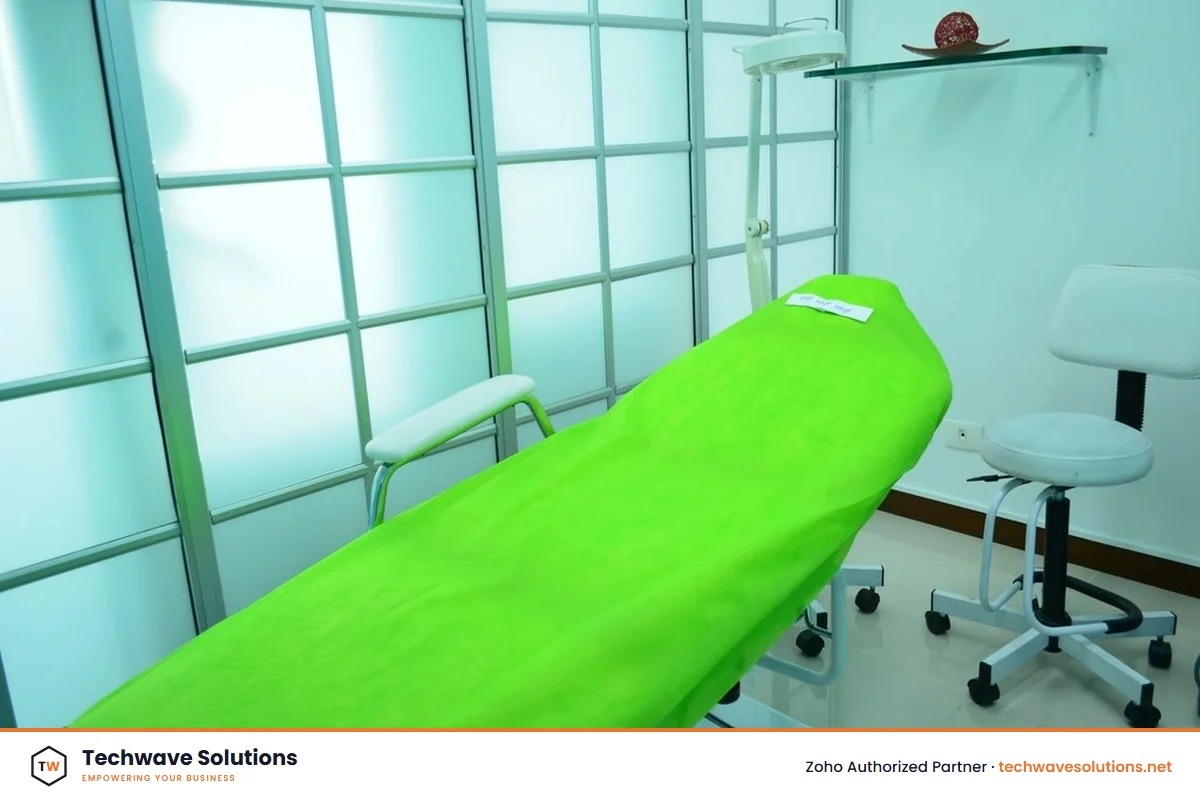
Consultations sit in a calendar with no link to the enquiry, so nobody knows which ad filled which slot. There is no lead to booking automation and no consultation follow-up beyond the coordinator’s memory, and package sessions are ticked off on paper cards.
Slow first reply
Leads land in four places; the first answer can take half a day.
Empty consultation slots
First-consultation no-shows are not chased, so slot and lead are lost.
Proposals that go quiet
The proposed course and price have no follow-up date.
Packages on paper
Sessions left are written on cards, so clients drift away mid-course.
One enquiry, no single owner
Each channel works on its own, and the calendar knows nothing about where a client came from
Separate inboxes
Slots without context
Sessions ticked by hand

Before: enquiry inboxes, the consultation calendar and package cards are kept apart (illustration)
Why skin clinics lose enquiries between the ad and the consultation chair
Aesthetic enquiries are impulsive and compared. Someone sees a laser ad on Sunday evening, fills in the form and asks two other clinics the same question. The clinic that replies first with a slot usually wins, which is why lead to booking automation is the first thing to fix.
The second gap opens after the consultation. A dermatologist proposes a six-session pigmentation course and the client wants to think. Without a dated consultation follow-up, that conversation ends. The third gap sits inside the course: a client who misses session three and is not called often never returns.
Why Zoho CRM for skin clinics, and where the medical record begins
A shared spreadsheet relies on someone copying each lead into it and cannot send a booking link at 9 pm on a Sunday. A booking tool alone fills slots but knows nothing about ad sources or proposed courses. Zoho CRM for skin clinics joins the pieces: capture, routing, lead to booking automation, consultation follow-up and package tracking all hang off one lead and deal.
Inboxes, a calendar and paper cards
- Reply speed depends on who is free
- No link from ad to booking
- Follow-up by memory
- Sessions counted by hand
A configured Zoho CRM
- Instant reply with a booking link
- Lead Source carried to the booking
- Scheduled follow-up on every deal
- Sessions Remaining on each package
The medical data boundary
Zoho CRM for skin clinics holds enquiry, booking and package data only: contact details, Lead Source, Branch, Treatment Interest, consultation dates, the proposed course, price and session dates. Clinical notes, skin assessments, signed consent forms and before and after photos stay in the clinic’s medical record system, and note fields are labeled for administrative notes.
Roles and profiles limit each branch to its own records. Health privacy and marketing consent rules differ by country, so the clinic confirms its obligations with its own advisers; the configuration supports good practice but does not decide what is required.
The solution design: one lead, one deal, one list of sessions
Standard modules wherever possible, one custom module, and one job per app.
Leads with clinic fields
Treatment Interest, Branch, Lead Source, Ad Campaign, Consultation Status, Consultation Date and Marketing Consent.
Website chat
Zoho SalesIQ on the clinic site, pushing chat visitors who leave details into CRM as leads.
Consultation booking
Zoho Bookings services per branch and consultation type, with reminders and the CRM integration switched on.
Deals as proposed courses
Treatment Course, Sessions Included, Package Price and a stage for each decision point.
Sessions module
A custom module linked to the deal, one record per session, with a count of sessions remaining.
Reactivation
Zoho Campaigns for past clients who gave marketing consent.
From a lead ad to a consultation on the calendar
The first reply carries the booking link; the booking updates the lead
LeadLink sentNew enquiry, pigmentation
ConsultationBookedA new lead and the consultation booked from the link in its first reply (illustration, sample data)
Building the lead to booking automation: capture, routing and reminders
Each step lists what starts it, the data it uses and what happens next. Field values, routing and message wording are agreed with the clinic manager first.
Four channels, one Leads module
Trigger: an enquiry arrives. Data: name, mobile, email, Treatment Interest (Acne, Pigmentation, Laser, Rejuvenation, Not sure), Branch and Lead Source. Next: a CRM web form on each treatment page creates the lead. Social lead ad entries arrive through the lead ads integration with the campaign name kept. Zoho SalesIQ pushes chat visitors who leave details, and the front desk logs calls on a quick-create layout.
Duplicates checked on mobile and email
Trigger: a lead is created. Data: mobile and email. Next: a small Deluge function compares them with existing leads and contacts; a returning client is updated, not duplicated, and a note records the new enquiry.
Assignment rules by branch and treatment
Trigger: the lead is saved. Data: Branch and Treatment Interest. Next: an assignment rule gives the lead to that branch’s coordinator. If Branch is blank, it goes round robin between the coordinators.
Instant reply with a consultation link
Trigger: a workflow rule on create. Data: first name, Treatment Interest and Branch. Next: an email goes out at once with the Zoho Bookings link for that branch, a text follows through the SMS extension the clinic connects, and a call task is set within the hour as a backstop. This first reply is the heart of the lead to booking automation in Zoho CRM for skin clinics.
Four statuses, each with a next action
Consultation Status on the lead drives reminders, rebooking and conversion
Link sent
Email, text and call task
Zoho CRMBooked
Slot chosen, reminders queued
Zoho BookingsAttended
Lead converted to a deal
Zoho CRMNo-show
Same-day task and rebook link
Zoho CRMConsultation Status values and the action each one triggers (illustration)
The booking lands on the lead
Trigger: the prospect picks a slot, or the coordinator books it on a call. Data: service, branch, practitioner, date and time. Next: the Bookings and CRM integration adds the appointment against the lead, and a workflow rule on Meetings sets Consultation Status to Booked and copies Consultation Date, so the lead to booking automation can be reported by source.
Reminders before the consultation
Trigger: a booked appointment. Data: time and contact details. Next: Zoho Bookings sends a confirmation and reminders by email, and by text where SMS is enabled. The reschedule link turns many would-be no-shows into moved appointments.
No-show triggers a rebook
Trigger: the front desk sets Consultation Status to No-show. Data: owner, Branch and Treatment Interest. Next: a workflow rule creates a same-day call task and sends a rebook link. A scheduled action two days later sends one last message if the status has not changed.
Consultation follow-up, treatment courses and session tracking
Once the client has been seen, consultation follow-up takes over: closing the course and keeping the client coming back to the last session.
Convert the lead and create the proposed course
Trigger: the consultation is marked Attended. Data: the lead and the practitioner’s proposal. Next: the coordinator converts the lead into a contact and a deal holding Treatment Course, Sessions Included, Package Price and Consultation Date, with stages Plan Proposed, Thinking It Over, Course Booked and Not Proceeding.
Consultation follow-up on day 1, 3 and 7
Trigger: a deal is created at Plan Proposed. Data: Consultation Date, contact details and course name. Next: a workflow rule with scheduled actions runs the consultation follow-up: day 1, an email recapping course, sessions and price in non-clinical language; day 3, a call task; day 7, an email with a booking link and a final task. Each action checks the stage first, so a client who has booked gets nothing more.
Sessions module counts what is left
Trigger: a session is added or changes status. Data: Session Number, Session Date, Practitioner and Status (Booked, Completed, Missed), linked to the deal. Next: a Deluge function updates Sessions Completed and Sessions Remaining on the deal.
The next session is always prompted
Trigger: a session is Completed and Sessions Remaining is above zero. Next: if no later session is booked, the function creates a booking task and emails the client the link. A Missed session creates a same-day call task, which catches clients drifting away mid-course.
Reactivation with consent only
Trigger: a monthly review. Data: contacts with Marketing Consent set to Yes and no session for six months. Next: a CRM view syncs to a Zoho Campaigns list for a maintenance offer. Unsubscribes flow back, and anyone without consent never enters the list.
Rollout timeline
Discover
Channels, branches, statuses, data boundary and consent.
CRM setup
Fields, routing, Deals, Sessions module, roles.
Capture
Web forms, lead ads, SalesIQ and phone layout.
Booking
Bookings services, reminders, no-show rules.
Pilot and report
One branch first, then funnel reports.
Effort is estimated after discovery. The pilot runs at one branch; the second joins once coordinators agree the routing and consultation follow-up wording. Open packages from the paper cards are entered as deals with their sessions before go-live, so Zoho CRM for skin clinics starts with the real count.
From ad source to treatment sold: the clinic funnel in Zoho Analytics
Because Lead Source travels from the lead to the booking and the deal, Zoho Analytics joins them through its Zoho CRM connector. Zoho CRM for skin clinics then shows each source through four steps: lead, consultation booked, attended and course sold, which is how the lead to booking automation is judged.
Leads by source
Social ad, website form, chat and phone, by branch and treatment.
Booked and attended
Consultations booked, attended and no-shows from each source.
Courses sold
Deals at Course Booked by source, treatment and practitioner.
Open packages
Sessions remaining, missed sessions and courses with no next booking.
Every ad source, followed to the course
Built from Lead Source, Consultation Status and deal stage
 Clinic funnel
Example funnel dashboard for a two-branch skin clinic in Zoho Analytics, with sample figures (illustration)
What changes, and how to measure it
This example has no measured baseline, so the table lists intended changes and the cards explain how to check them. Before the pilot, hand-date a sample of last month’s enquiries.
Time to first reply
Compare Created Time with the first logged email or call, against the hand-dated sample.
Lead to consultation
Count leads that reach Booked and then Attended, by source, to see whether the lead to booking automation fills more slots.
Proposal to course
Track deals moving from Plan Proposed to Course Booked, and whether the consultation follow-up tasks were completed on time.
Course completion
Review courses with sessions left but no next booking.
Day to day for each role
Zoho CRM for skin clinics works when each person opens one view and sees only today’s work for their branch.
Branch coordinator
Calls unbooked leads, rebooks no-shows and works consultation follow-up tasks.
Front desk
Logs calls, marks Attended or No-show and records sessions.
Dermatologist or aesthetician
Gives the coordinator the proposed course and price.
Clinic manager
Watches overdue tasks and missed sessions in both branches.
Zoho CRM for skin clinics FAQ
Does the CRM replace our medical record system?
No. Clinical notes, consent forms and photos stay in the medical record system.
Can clients book a consultation themselves?
Yes. The first reply includes the Zoho Bookings link for their branch, and the appointment is logged on the lead through the Bookings integration.
How does consultation follow-up work after the visit?
A deal holds the proposed course. Scheduled actions send a recap on day 1, set a call on day 3 and send a booking link on day 7, unless the client has already booked.
What happens when someone misses a consultation?
The front desk marks it No-show, the coordinator gets a same-day call task and the client receives a rebook link.
Can we market to past clients?
Only those who gave marketing consent. A CRM view of consenting past clients syncs to Zoho Campaigns, and the clinic confirms its consent rules with its own advisers.
How Techwave Solutions can help
Techwave Solutions is an Authorized Zoho Partner working with Zoho since 2015. We set up Zoho CRM for skin clinics and other appointment-led practices: lead capture from ads, forms and chat, branch routing, Bookings and reminders, follow-up rules, session tracking, funnel reports and staff training.
Learn more about Zoho CRM, see a related setup in our Zoho CRM for real estate overview, or book a free first call with a Zoho consultant to map your own enquiry and booking process.
Talk to a Zoho consultant
Choose the Zoho plan that fits your clinic
Zoho One covers every app in this setup under one licence. Zoho CRM alone covers leads, routing and courses.


Partner sign-up links from Techwave Solutions, an Authorized Zoho Partner.
This is a solution overview built around a composite example. Business details and dashboard figures are examples, not results reported by a specific client.