

Zoho CRM and Zoho Books for Construction: Every Quote, Change Order and Stage Invoice on One Job Record
How a renovation and light commercial contractor can take a job from estimate to final payment without retyping quotes, losing change orders or tracking retention in a notebook.
Zoho CRM and Zoho Books for Construction: Quote to Paid
Each document is created from the one before it, so the contract value never gets retyped
 Zoho CRM
 Zoho Sign
 Zoho Books
Quote
Lines from products
Sign
Contract signed
Deposit
Retainer invoice
Stage invoices
From the sales order
Change orders
Signed, then billed
Final
Retention released
Zoho CRM and Zoho Books for construction join the two halves of a contractor’s money: the quote the estimator wins and the invoices the office sends while the job is built. When they share one job record, every change order and every stage invoice traces back to the signed contract.
This overview uses an example business: a residential renovation and light commercial contractor with estimators, project managers and a small office team. It covers the problems, the design, the construction quote to payment flow, progress billing, change orders, retention and the rollout. Job names and figures in the screens are sample data.
When estimates live in spreadsheets, change orders are agreed on site by voice and retention is written in a notebook, a contractor bills late and sometimes not at all. Zoho CRM and Zoho Books for construction give each job a deal with a quote, a signed contract, a deposit, stage invoices drawn from one sales order, signed change orders and a retention balance, all visible to the office and the project manager.
Table of contents
Quick summary
Who it suits
Renovation and fit-out contractors that bill in stages
Zoho apps
Zoho CRM for jobs and quotes, Zoho Books for billing, Zoho Sign
Problem
Retyped estimates, unbilled extras, missed stage invoices
Setup
Job deals, quotes, signing, retainers, stage lines, change orders
Outcome
Contract, billed, collected and retention per job
The challenge: estimates retyped and extras never billed
In the example contractor, an estimator prices a kitchen and rear extension in a spreadsheet, saves it as a PDF and emails it. When the client accepts, the office retypes the totals into an accounting package to raise a deposit. Three weeks in, the client asks for an extra window on site, the project manager says yes, and nobody writes it down.
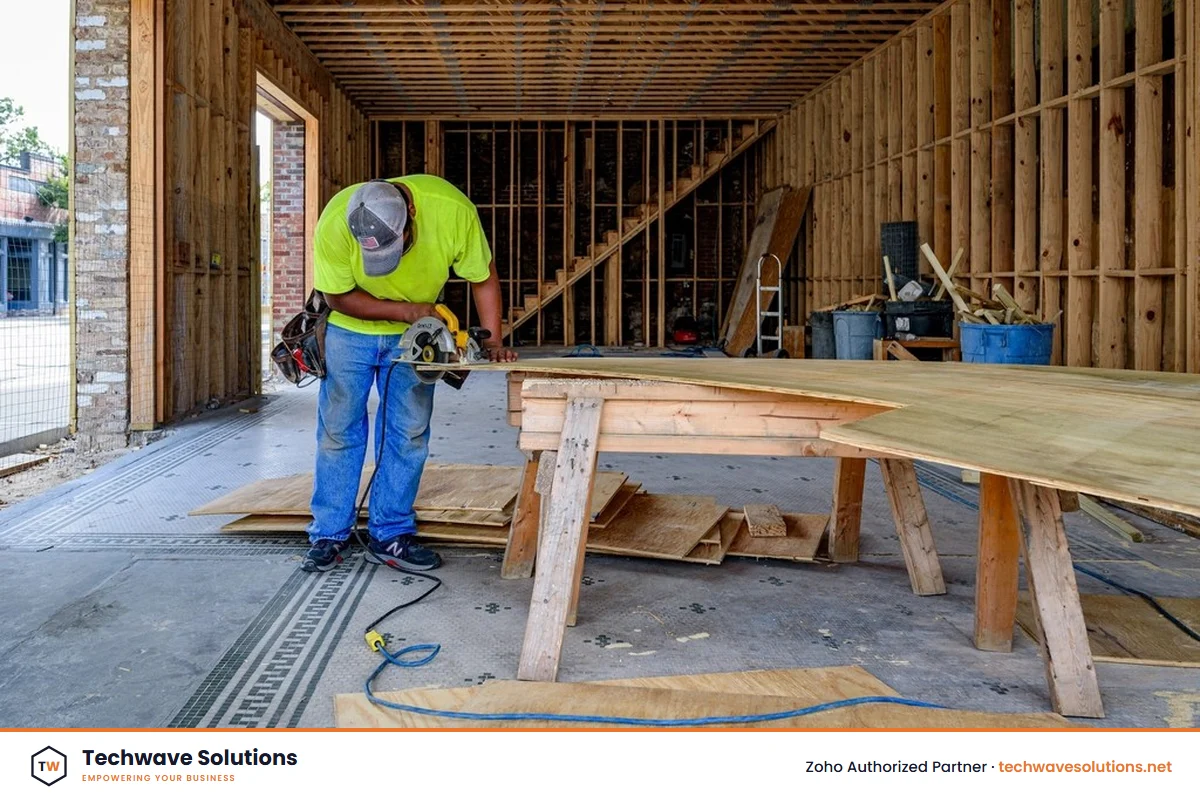
The final invoice is built from memory. The extra window is missing, a stage invoice went out late, and the retention sits in a notebook. There is no progress billing routine, only reminders.
Estimates retyped
Spreadsheet totals are copied into invoices by hand, with mistakes in quantities and allowances.
Verbal change orders
Extras agreed on site are never priced, signed or billed.
Stage invoices missed
Deposits and progress invoices depend on someone remembering a stage is done.
Retention in a notebook
Amounts held back by clients are tracked on paper and sometimes never chased.
One job, money in four places
The contract, the extras, the invoices and the retention never meet
Priced line by line
Agreed by voice
Raised by hand

Before: estimates, site changes, invoices and retention live in separate places (illustration)
Why renovation contractors under-bill between quote and payment
A renovation job is sold once but billed many times: deposit, stages, extras and retention release, spread over months. With a spreadsheet and an accounting package, each is typed fresh, so the construction quote to payment chain breaks at every handover.
The scope also moves. Walls are opened, clients change their minds, allowances get spent. A change not priced and signed when agreed is hard to bill later, because the client remembers it as included.
Estimator
Wins the job. The office retypes the quote into a deposit invoice.
Project manager
Agrees an extra window on site. Means to tell the office. Forgets.
Office
Builds the final invoice from memory. The window and the retention release are missing.
Why Zoho CRM and Zoho Books for construction, instead of spreadsheets
A better estimate template still leaves quote, extras and invoices apart, and a full construction suite brings site tools a small contractor may not need. Zoho CRM and Zoho Books for construction sit between: CRM holds the job, quote and change orders; Books holds the deposit, progress billing, payments and the ledger.
The integration syncs customers and shows Books transactions inside CRM. One point shapes the design: CRM Quotes module records do not sync to Books documents, so a small function carries the accepted quote across. That keeps the construction quote to payment flow a chain of conversions.
Spreadsheet plus accounting package
- Every quote retyped
- Extras agreed by voice
- Stages remembered, not scheduled
- Retention on paper
Zoho CRM with Zoho Books
- Quote lines from a product list
- Change orders signed in Zoho Sign
- Stage lines invoiced from one sales order
- Retention held and released per job
The solution design: progress billing tied to the signed quote
In Zoho CRM and Zoho Books for construction, every job is a CRM deal and every bill a Books document created from it. Editions and integration plan requirements are confirmed in discovery.
Job deals
Estimator, site address, job type, contract value and stage, on one deal per job.
Quotes from products
Labour, materials, subcontract and allowance products, with payment terms.
Signed contracts
The accepted quote and contract signed by the client through Zoho Sign.
Deposit retainers
A retainer invoice in Zoho Books, applied to stage invoices as they go out.
Stage sales order
One Books sales order per job with a line per billing stage, invoiced stage by stage.
Change Orders module
A custom CRM module linked to the deal, signed by the client, then billed.
From signed quote to stage-by-stage invoices
The sales order holds the stages; each invoice takes only the stage that is done
Job dealWonKitchen and rear extension
SO-00087 stagesPartially invoicedA won job deal and its stage sales order, two stages invoiced (illustration, sample data)
The implementation: construction quote to payment, step by step
Each step of the construction quote to payment flow is described by trigger, data and next step. People still price work; the system turns each agreement into an invoice.
A deal for every job
Trigger: a client asks for a price. Data: client account, Estimator, Site Address, Job Type (kitchen, extension, whole house, fit-out) and Contract Value. Next: the deal moves through stages such as Site Visit, Estimating, Quote Sent and Won, so the office sees every job in the pipeline before work starts.
Quotes built from products
Trigger: the estimator prices the job. Data: CRM Products for Labour, Materials, Subcontract and Allowance, each with a unit price, plus payment terms listing the billing stages. Next: a CRM quote is created on the deal with those lines. Allowances are separate lines, so if the client picks a dearer worktop the difference becomes a clear change order.
Quote and contract signed through Zoho Sign
Trigger: the client is ready to commit. Data: the quote PDF and the contract terms. Next: both go out for signature through Zoho Sign from the CRM record, the signed copy is stored on the deal, and the deal moves to Won.
Won deal creates the job in Zoho Books
Trigger: the deal stage changes to Won. Data: the client account, the signed quote lines and the billing stages. Next: the CRM and Books integration syncs the client as a customer, and a Deluge function creates a sales order in Books with one line per billing stage and the job number as reference. This is the start of progress billing.
Four documents, each made from the last
Converted, never retyped
Quote
Signed by the client
Zoho CRMRetainer
Deposit paid
Zoho BooksSales order
One line per stage
Zoho BooksStage invoice
Paid online
Zoho BooksThe construction quote to payment flow across Zoho CRM and Zoho Books (illustration)
Deposit as a retainer invoice
Trigger: the contract is signed. Data: the deposit amount from the payment terms. Next: the office raises a retainer invoice in Zoho Books. Once paid, it waits as an available retainer and is applied to stage invoices, in full or in part, with Apply to Invoice. Progress billing then starts from a known deposit balance.
Progress billing from the sales order
Trigger: the project manager marks a stage complete on the deal, which creates a task for the office. Data: the job’s sales order. Next: the office uses Convert to Invoice, keeps only the finished stage line and saves. Books marks the sales order Partially Invoiced, and its Invoices tab lists every stage billed. Progress billing becomes a routine conversion, not a calculation done from memory.
Change orders signed before the work
Trigger: the client asks for something not in the quote. Data: a record in the Change Orders custom module, linked to the deal: Description, Reason (client request, hidden condition, allowance overrun), Amount and Status. Next: the project manager sends it for signature through Zoho Sign from a phone on site. When signed, Status becomes Approved, Unbilled, and the deal’s Contract Value is recalculated to include it.
Approved change orders on the next invoice
Trigger: the next stage invoice is prepared. Data: change orders on the deal with Status Approved, Unbilled. Next: each one is added as a line on the stage invoice, and a function stamps the invoice number on the change order and sets it to Billed. A list of unbilled approved change orders is reviewed weekly, so none are left behind.
Retention held, then released
Trigger: the contract allows the client to hold back part of each payment. Data: a Retention Held custom field on each invoice and a negative Retention line mapped to a retention receivable account agreed with the accountant. Next: the job’s running retention balance builds up invoice by invoice. At practical completion, the final invoice releases it with a positive Retention Release line, and the balance returns to zero.
Online payment, status back on the deal
Trigger: a stage invoice is emailed. Data: the payment gateway connected to Zoho Books. Next: the client pays from the invoice link, the invoice shows Paid in CRM, and a function updates Billed to Date and Collected to Date on the deal, closing the construction quote to payment loop.
The job dashboard: contract, billed, collected and retention
Every figure comes from a signed quote, a change order or an invoice, so no spreadsheet sits behind it. Four numbers per job cover the weekly review of Zoho CRM and Zoho Books for construction.
Contract value
The signed quote plus approved change orders.
Billed to date
Stage invoices and change orders invoiced so far.
Collected and outstanding
Payments received, and what is still owed.
Retention held
The amount the client is holding until completion.
Every job’s money at a glance
Built from the deal, the change orders and the Books invoices
Open jobsExample open jobs dashboard in Zoho CRM with Books figures (illustration, sample data)
The owner starts with two lists: approved change orders not yet billed, and finished jobs with retention still held.
What changes, and how to measure it
There is no measured baseline for this example, so the table lists intended changes from Zoho CRM and Zoho Books for construction to check after a pilot.
Stage to invoice time
Days between a stage marked complete on the deal and its invoice date. Progress billing should make this short and steady.
Unbilled change orders
Count approved change orders older than one billing cycle that are still unbilled.
Retention past due
Completed jobs where retention is still held after the agreed release date.
Retyped invoices
Invoices not created from a job’s sales order. In a working construction quote to payment flow there should be almost none.
Day to day for each role
Four roles share Zoho CRM and Zoho Books for construction, each with access set to match their job.
Estimator
Prices jobs from the product list and starts the construction quote to payment flow.
Project manager
Marks stages complete and sends change orders for signature before the extra work starts.
Office team
Raises retainers, converts stage lines to invoices, adds change orders and tracks retention.
Owner
Reviews contract, billed, collected and retention per job, and chases the outliers.
Rollout timeline for progress billing in Zoho
Zoho CRM and Zoho Books for construction are rolled out in five phases, dated after discovery.
Discover
Job types, billing stages, deposit and retention terms, roles.
Products and terms
Labour, materials, subcontract and allowance products; contract templates.
Configure
Deal fields, Change Orders module, Sign templates, the Books link and functions.
Test a job
One job from quote to final invoice, with a change order and retention.
Train and pilot
New jobs in Zoho from a cut-off date; running jobs finish as before.
Two parts need care. The first is the billing stage list. Each job type needs agreed stages that match the contract, because progress billing can only be as clear as the stages written into the quote.
The second is retention accounting, agreed with the contractor’s accountant before the first invoice so the ledger and dashboard match.
Zoho CRM and Zoho Books for construction FAQ
How is progress billing done in Zoho Books?
In this design, a sales order holds one line per billing stage. Each completed stage is converted into an invoice, and the sales order shows as partially invoiced until every stage is billed.
Do CRM quotes flow into Zoho Books automatically?
Customers sync through the integration, but CRM Quotes module records do not become Books documents on their own. A Deluge function creates the Books sales order when the deal is won.
How are change orders approved?
Each change order is a record linked to the job deal and is signed by the client through Zoho Sign before the work starts.
How is the deposit handled?
As a retainer invoice in Zoho Books. Once paid, it is applied to stage invoices in full or in part.
Can the project manager see what has been paid?
Yes. With Zoho CRM and Zoho Books for construction, invoice status shows in CRM and the deal carries billed, collected and retention figures.
How Techwave Solutions can help
Techwave Solutions is an Authorized Zoho Partner working with Zoho since 2015. We set up Zoho CRM and Zoho Books for construction and other project-billed trades: job deals, product-based quotes, Zoho Sign templates, change order modules, retainers, stage sales orders, retention handling and staff training.
Learn more about Zoho Books, see a related setup in our Zoho CRM for real estate overview, or book a free first call with a Zoho consultant to map your own quote to payment process.
Talk to a Zoho consultant
Choose the Zoho plan that fits your firm
Zoho Books runs the deposits, stage invoices, payments and retention in this design. Zoho CRM holds the jobs, quotes and change orders, and Zoho One brings both together with Zoho Sign.

Partner sign-up links from Techwave Solutions, an Authorized Zoho Partner.
This is a solution overview built around a composite example. Business details and dashboard figures are examples, not results reported by a specific client.