
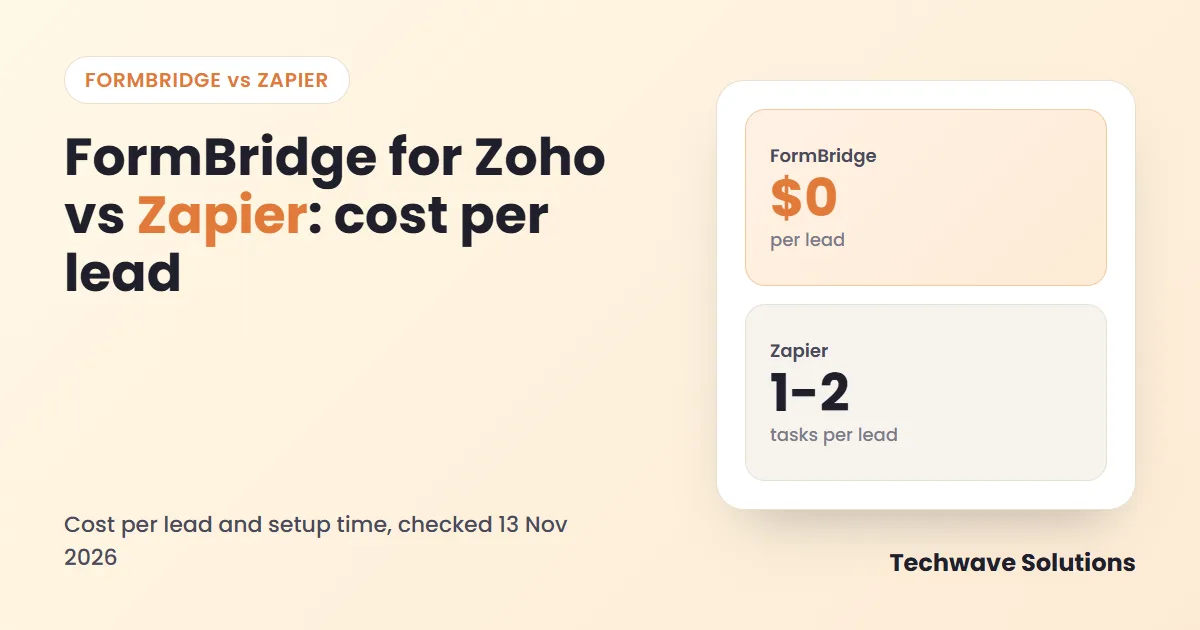
FormBridge for Zoho vs Zapier is really a question about cost per lead and how long setup takes. Both can send a WordPress form submission into Zoho CRM. One is a purpose-built plugin that runs inside your own site, the other is a general automation platform that bills by the task. This guide compares them on cost, setup, reliability and fit.
Quick answer: FormBridge for Zoho vs Zapier
Your forms live in WordPress and the destination is Zoho. No per-lead fee, setup in about six minutes.
One workflow must touch many apps, or the trigger is not a WordPress form.
FormBridge free: $0 per lead. Zapier: depends on tasks used per lead and your plan.
Use the simplest tool that covers your path. Add Zapier only for what a plugin cannot do.
How FormBridge and Zapier differ
FormBridge for Zoho is a WordPress plugin. It reads your saved forms, lets you map each field to a Zoho field, and sends the data while the visitor submits the form. Nothing leaves your site except the call to Zoho.
Zapier is a hosted automation platform. A trigger in one app starts a Zap, and each action step runs on Zapier servers. That gives it a very wide reach, and it also means a form has to be connected to Zapier first, then to Zoho.
Cost per lead: what each option really charges
FormBridge has no fee per submission. The free plugin covers the main form plugins and core Zoho apps, and Pro starts at $5 per month for one site if you need WooCommerce, bookings, webhooks or conditional logic.
Zapier bills by tasks. According to the plan pages and reviews we checked, the free plan includes 100 tasks per month, and the Professional plan starts at about $19.99 per month on annual billing for 750 tasks. Plans change, so check Zapier pricing before you decide.
| Leads per month | FormBridge (free) | Zapier tasks, create only | Zapier tasks, with duplicate check |
|---|---|---|---|
| 100 | $0 · no limit | 100 tasks · fits free plan | 200 tasks · above free plan |
| 500 | $0 · no limit | 500 tasks · fits entry plan | 1,000 tasks · above entry plan |
| 1,000 | $0 · no limit | 1,000 tasks · above entry plan | 2,000 tasks · higher tier |
| 2,500 | $0 · no limit | 2,500 tasks · higher tier | 5,000 tasks · higher tier |
Task counts are TechWave estimates from the counting rule above. FormBridge duplicate handling is built into the feed, so it adds no extra cost.
Relative tasks used per lead. Shorter bar means less usage.
Do the sum for your own volume: take your monthly leads, multiply by the tasks each Zap uses, and compare that with the task allowance of the plan you would need. A busier site moves up a tier faster than most teams expect.
Setup time: from install to first lead
Setup time depends on how many accounts and connections sit in the middle. We have not run a stopwatch test on Zapier, so we compare the steps instead.
FormBridge for Zoho
- Install the plugin from WordPress.org.
- Create a Server-based client in the Zoho API Console and connect it (about 3 minutes).
- Add a feed and pick your form by name (about 1 minute).
- Map the fields and click Create feed (about 2 minutes).
- Submit a test form and check Logs.
The product page puts the whole path at about six minutes from install to first submission in Zoho. The FormBridge documentation has a guide for each form plugin.
Zapier
- Create or open a Zapier account.
- Choose a trigger app and connect your form or WordPress site.
- Connect your Zoho CRM account.
- Map each field and test the Zap.
- Turn it on, then watch task usage.
Feature comparison
| Need | FormBridge for Zoho | Zapier |
|---|---|---|
| Cost per submission | None | Uses tasks |
| Built for WordPress forms | Yes, 10 form plugins free | Via a connected trigger |
| Zoho apps covered | CRM, Bigin, Books, Desk, Campaigns, Marketing Automation | Depends on the Zoho app actions available |
| Update an existing record | Built into the feed | Needs an extra search step |
| Retries and delivery log | Up to 3 retries, log and resubmit | Task history and replay |
| Many different apps in one workflow | No | Yes, thousands of apps |
| Data path | Your site to Zoho | Your site, Zapier, then Zoho |
| Starting price | Free (Pro from $5/month) | Free plan (100 tasks) |
Reliability and data privacy
Failures happen: Zoho can be slow, a token can expire, a field can be rejected. FormBridge retries temporary errors up to three more times, after 30 seconds, 2 minutes and 8 minutes. It writes every delivery to a log with the exact fields sent and a link to the record in Zoho, and you can resubmit a failed entry with one click.
On privacy, FormBridge does not store what visitors type unless you turn that on, and Zoho connection tokens are stored with AES-256-GCM encryption. With a platform such as Zapier, form data also passes through a third party, so review that against your own privacy policy.
Which one fits you?
- WordPress forms into Zoho only: choose FormBridge for Zoho. It is simpler and has no usage meter.
- Forms plus Slack, Sheets and ten more apps: Zapier can orchestrate the whole chain.
- High lead volume: a plugin avoids a bill that grows with every submission.
- A trigger that is not a WordPress form: Zapier has the wider catalog.
You can use both
The tools are not rivals in every case. Send the lead to Zoho CRM with FormBridge, then let Zapier or another platform handle the rest of the chain. FormBridge Pro also has a webhook destination, so a feed can post the same data to any URL, which makes a clean hand-off point to other automation tools.
Frequently asked questions
Does Zapier charge per form submission?
Zapier counts tasks, and each successful action step in a Zap uses one task. A Zap that creates one Zoho CRM lead for each form submission uses about one task per lead. Extra steps, such as a search for an existing record, use more tasks.
Is FormBridge for Zoho really free?
Yes. The free plugin on WordPress.org sends form submissions from ten popular form plugins to Zoho CRM, Bigin, Books, Desk, Campaigns and Marketing Automation, with field mapping, duplicate handling, retries and delivery logs. Pro is an optional add-on from $5 per month.
Can FormBridge update an existing lead instead of creating a duplicate?
Yes. You can tell a feed to update a matching Zoho record, for example by email address, instead of creating a second record.
When is Zapier the better choice?
When the same workflow must connect many different apps, or when you need a trigger that is not a WordPress form. If your main job is WordPress form to Zoho, a dedicated plugin is simpler.
What happens if Zoho is down when a form is submitted?
FormBridge retries temporary errors up to three more times, after 30 seconds, 2 minutes and 8 minutes. The final result appears in Logs, and you can resubmit failed entries.
Can I use both Zapier and FormBridge?
Yes. Use FormBridge for the direct WordPress to Zoho path, and keep Zapier for workflows that involve other apps.
Sources
Connect your WordPress forms to Zoho
Install FormBridge for Zoho free, read the documentation, or see the product page. Need a custom workflow? Talk to our Zoho integration team.