

Zoho Creator for Agriculture: Graded Deliveries and Clear Farmer Payouts
How a processor that buys raw leaves from smallholder farmers through village collection centres can record every delivery, grade and payout in one app, with rates managed centrally.
Zoho Creator for Agriculture: One Delivery, One Payout
From the weighing scale at the centre to a statement the farmer can read
 Zoho Creator
Collection centres
Farmer payouts
Deliver
Weighed at the centre
Grade
Quantity per grade
Price
Rate on the day
Approve
Accountant review
Pay
Status set to Paid
Statement
Per farmer
Zoho Creator for agriculture fits a problem that general software rarely handles well: buying a perishable raw material from hundreds of smallholder farmers, at prices that depend on grade, region and the week of the season. When each village centre keeps its own paper book, nobody can tell a farmer exactly what they were paid and what is still pending.
This overview uses an example business: a processor and exporter that buys fresh leaves from smallholders through several village collection centres, grades them, and processes them into export goods. It covers the problems, the app design, how payouts are calculated, the access rules and the rollout. Names and figures in the screens are sample data.
Paper delivery books and separate spreadsheets at each centre make payouts slow, error prone and hard to explain. A custom collection centre app built in Zoho Creator records each delivery, splits it by grade, looks up the rate in force on that date and calculates the payout. Farmer payment tracking then runs through clear statuses, and role-based access keeps payment data with the people who should handle it.
Table of contents
Quick summary
Who it suits
Processors buying produce from smallholders through centres
Zoho app
A custom Zoho Creator app
Problem
Paper books, manual payouts, open payment files
Setup
Masters, delivery and grade forms, dated rates, roles
Outcome
Payouts farmers can check, measured after a pilot
The challenge: every centre keeps its own book
In the example business, a farmer carries a sack of leaves to the village centre early in the morning. The operator weighs it, writes the weight in a notebook and sets the sack aside for grading. Later a grader sorts it into first grade, second grade and rejects, and those figures go into a different page or a spreadsheet. Payment is worked out days later in the head office, and there is no farmer payment tracking beyond a handwritten list.
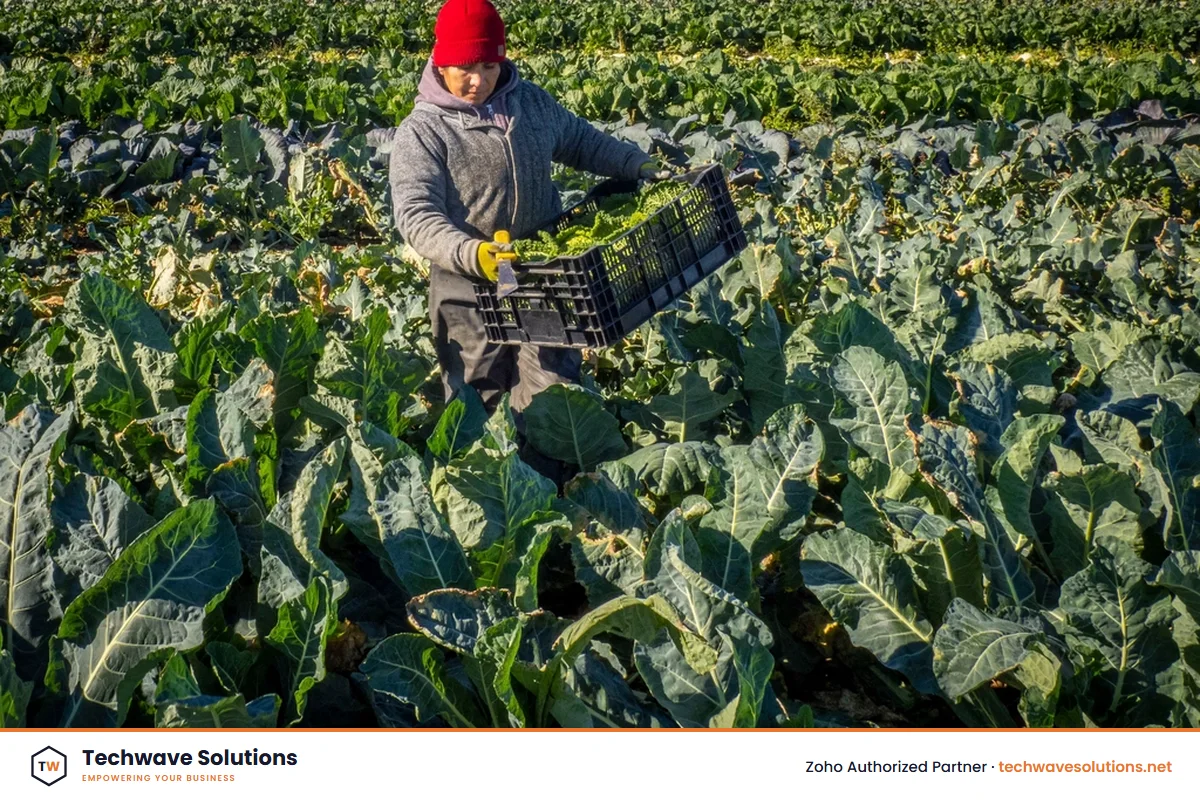
Multiply that by several centres and a season of daily deliveries, and the case for a collection centre app becomes clear. A farmer asks why last week’s payment was lower, and the answer is spread across three notebooks and a file that has been copied twice.
Paper at each centre
Deliveries, grading results and payments sit in separate books and sheets per centre.
No history per farmer
Nobody can show what one farmer delivered, by grade, over the season.
Payouts by hand
Grade quantities are multiplied by rates manually, which is slow and easy to get wrong.
Open payment files
Anyone with the file can read or change payment amounts, and nobody can see who did.
One delivery, three records
Weight, grade and payment are written down, just never together
Gross weight
 Grading sheet
Quantity per grade
Worked out by hand

Before: delivery, grading and payment are kept in separate records at each centre (illustration)
Why collection centres lose track of what each farmer is owed
The difficulty is the price. A kilo of first grade from the hill region is worth more than a kilo of second grade from the plains, and management changes those rates as the season moves. A spreadsheet holds one rate per cell. When the rate changes on a Wednesday, someone overwrites the cell, and every delivery from Monday and Tuesday is now priced at the new rate unless the operator remembered to copy the old figures first.
The second cause is identity, and Zoho Creator for agriculture handles it with a master table. Without a farmer master, the same person is written as three spellings at two centres. Farmer payment tracking needs a farmer ID that every delivery points to, or the season total for that farmer cannot be added up.
Centre operator
Records deliveries priced at the old second-grade rate.
Management
Raises the rate and the sheet is overwritten.
Head office
Pays Monday’s deliveries at the new rate by mistake.
Why Zoho Creator for agriculture, instead of spreadsheets or a packaged tool
Packaged farm software tends to model a farm, not a buyer with many centres and a grade-based price list. A spreadsheet can hold the data but cannot lock a rate to a date or hide one centre’s payments from another. Zoho Creator for agriculture sits between the two: a low-code app with forms and reports shaped to this exact process, Deluge scripts for the payout logic and permissions set per role.
It also runs on phones and tablets through the Creator mobile app, so the collection centre app works at a centre that has a weighing scale and a phone but no office computer.
Shared spreadsheets
- One rate per cell, overwritten
- No farmer ID
- Anyone can edit payments
- Payout typed by hand
A Zoho Creator app
- Rates with effective dates
- Farmer master with IDs
- Access by role and centre
- Payout calculated on save
The solution design: a collection centre app in Zoho Creator
The collection centre app has six parts, linked by lookup fields so a payout can always be traced back to its delivery, grade lines and rate. Field names are agreed during discovery with the centre staff who will use them.
Farmer master
Farmer ID, name, village, region, phone and payment details.
Centre master
Centre name, region and the operators assigned to it.
Delivery entry
Farmer, date, centre, gross quantity and condition.
Grade entry
Quantity per grade, linked to its delivery.
Rate master
Rate by grade and region with an Effective From date.
Payout record
Gross amount, deductions, net and status.
From graded delivery to calculated payout
The rate is looked up once, on the delivery date, and stored on the line
DeliveryGradedD-1182 · Farmer F-0457 · Hill centre
PayoutPending approvalA graded delivery and the payout calculated from the rates in force on its date (illustration, sample data)
The implementation: seven mechanisms in Zoho Creator for agriculture
Each mechanism is described by what starts it, what data it uses and what happens next. People weigh, grade and approve. The app looks up rates, calculates amounts and enforces who can see what.
Registering a farmer once
Trigger: a new farmer arrives at a centre. Data: name, village, phone and payment details. Next: the operator adds a Farmer record and the app assigns a Farmer ID. A duplicate check on name plus phone warns before a second record is created.
Delivery entry at the scale
Trigger: the sack is weighed. Data: a Farmer lookup, the date, the Centre (filled from the operator’s login) and gross quantity and condition. Next: the delivery is saved with status Awaiting grading and appears in the grader’s list.
Grade entry linked to the delivery
Trigger: the grader sorts the sack. Data: quantity per grade in a subform on the delivery. Next: a validation rule stops the save if graded quantities add up to more than the gross weight, which catches typing slips at the source.
Four statuses, one clear answer
A farmer asking about a payment gets a status, not a search
Graded
Payout calculated
Zoho CreatorPending
Waiting for review
Zoho CreatorApproved
Accountant checked
Zoho CreatorPaid
Date and reference set
Zoho CreatorFarmer payment tracking through four payout statuses in Zoho Creator (illustration)
Rate master with effective-from dates
Trigger: management changes a price. Data: grade, region, rate and Effective From date. Next: a new Rate record is added; the old one is never edited. Only the management role can add rates, so centre staff cannot change prices.
Payout calculated on save
Trigger: grade entry is saved. Data: each grade quantity, the centre’s region and the delivery date. Next: a Deluge script fetches the latest Rate record whose Effective From is on or before the delivery date, multiplies, subtracts deductions such as bag charges or advances, and writes the rate and net amount onto the payout record. Because the rate is stored on the line, a later price change never alters an old entry.
Approval and payment by the accountant
Trigger: payouts reach Pending. Data: the payout, its delivery and grade lines. Next: the accountant reviews a report filtered to Pending, approves in bulk, and after payment sets Paid with the date and reference. This is farmer payment tracking with a record of who approved each line.
Role-based access per centre
Trigger: a user opens the collection centre app. Data: their role and assigned centre. Next: report criteria in the operator permission set show only records where Centre matches the user’s centre. Accountants see all payouts; management sees everything, including the rate master.
Farmer statements and centre reports
Because every delivery links to a farmer, a centre and its grade lines, reports come straight from the app’s records. Four reports cover what the business checks each week, and the first one is the heart of farmer payment tracking.
Farmer statement
All deliveries, grades, amounts and payments for one farmer.
By centre
Quantity received and paid out per centre.
By grade
Grade mix over time, for procurement planning.
Pending payouts
Amounts waiting for approval or payment.
The season at a glance
Built on the same delivery and grade records the centres enter
Procurement overviewExample procurement page in the collection centre app (illustration, sample data)
The farmer statement is the report that changes conversations at the centre. When a farmer asks about a payment, the operator opens the statement on the phone and shows each delivery, its grades, the rate applied and whether it is pending, approved or paid. Farmer payment tracking becomes something the farmer can see, not something they have to trust.
What changes, and how to measure it
There is no measured baseline for this example, so the table lists intended changes to check after a pilot at the first centres. The cards explain how to measure each one from the app’s own data.
Delivery to payment
Compare delivery date with the Paid date on each payout, by centre. This is the main farmer payment tracking measure.
Corrections
Count payouts edited after approval. Fewer edits mean the calculation is trusted.
Payment queries
Log farmer queries per centre and note how many the statement answers on the spot.
Same-day entry
Check that deliveries are entered in the collection centre app on the day they were weighed.
Day to day for each role in the collection centre app
Three roles share the app, each with its own permission set. Agreeing these before the build keeps Zoho Creator for agriculture simple at the scale and strict where money moves.
Centre operator
Registers farmers, enters deliveries and grades for their centre and shows farmers their statements.
Accountant
Reviews pending payouts, approves them, records payment and marks them Paid.
Management
Sets rates by grade and region and reads the centre and grade reports.
Rollout timeline
The rollout runs in five phases. Dates are set after discovery, since the number of centres and grades drives the effort.
Map the process
Visit centres, agree grades, regions, deductions and statuses.
Build
Forms, lookups, payout script, reports and permission sets.
Rate master
Load current rates by grade and region with effective dates.
Test
Sample deliveries across a mid-week rate change and a rejected grade.
Train centres
One centre at a time, on the operators’ own phones.
Two decisions shape the rollout. The first is not migrating the old paper books. Their numbers cannot be checked reliably, so the app starts from a clean date; anything owed before it is settled the old way and closed.
The second is training at each centre, during a real morning of deliveries. Operators register farmers as they arrive, so the farmer master grows from actual use rather than an import of misspelled names.
Zoho Creator for agriculture FAQ
What happens to old entries when a rate changes?
Nothing. Each payout stores the rate found for its delivery date. A new rate only applies to deliveries on or after its Effective From date.
Can a centre operator see other centres’ payments?
No. The operator permission set filters reports by the centre assigned to the user. Accountants and management see all centres.
How does farmer payment tracking work?
Each payout moves from Pending to Approved to Paid, with the approver, date and payment reference recorded on it.
Does the collection centre app work on phones?
Yes. Apps built with Zoho Creator for agriculture run in the Creator mobile app on phones and tablets.
Are the old paper records imported?
No. In this design of Zoho Creator for agriculture the app starts from a clean date and older balances are settled outside it.
How Techwave Solutions can help
Techwave Solutions is an Authorized Zoho Partner working with Zoho since 2015. We build Zoho Creator for agriculture and other sourcing businesses: farmer and centre masters, dated rate tables, payout scripts, permission sets and on-site training at each centre.
Learn more about Zoho Creator, see a related setup in our Zoho CRM for real estate overview, or book a free first call with a Zoho consultant to map your own collection process.
Talk to a Zoho consultant
Choose the Zoho plan that fits your operation
Zoho One includes Zoho Creator and the rest of the suite. Add Zoho Books to post farmer payouts to the ledger, or browse every Zoho app.


Partner sign-up links from Techwave Solutions, an Authorized Zoho Partner.
This is a solution overview built around a composite example. Business details and dashboard figures are examples, not results reported by a specific client.