

Zoho CRM for Estate Planning: From Paper Questionnaire to Signed and Stored
How a will-writing service can collect family details online once, produce first drafts from those answers, book signing appointments that stick and always know where each original is kept.
Zoho CRM for Estate Planning: One Matter from Enquiry to Storage
The family’s answers are typed once and reused in every draft
 Zoho Forms
 Zoho CRM
 Zoho Writer
Intake
Online questionnaire
Matter
People and assets
Draft
Merged from the record
Review
Internal and client

Sign
In person, witnessed
Store
Register and reminders
Zoho CRM for estate planning gives a will-writing service one record per family matter, holding the people, the wishes, the draft documents, the signing date and the place where each original is stored. For consultants who prepare wills, powers of attorney and simple trusts, it replaces the paper questionnaire, the retyping and the storage book on the shelf.
The example business in this overview is a will-writing service whose consultants work with families and send documents for legal review where required. The build centers on an online client intake questionnaire, document generation from the CRM record, a Blueprint for each matter and a storage register with review reminders. Names, dates and figures in the screens are sample data.
Families filled in long paper forms, staff retyped the answers into templates, signing dates were set by phone and originals were logged in a book. The design moves intake to Zoho Forms, stores people and assets on a Matter in Zoho CRM, merges first drafts in Zoho Writer, signs engagement letters in Zoho Sign, books witnessed signings through Zoho Bookings and keeps a storage register with dated review reminders.
Table of contents
Quick summary
Who it suits
Will-writing and estate planning services working with families
Zoho apps
Zoho CRM, Forms, Writer, Sign and Bookings
Problem
Retyped answers, slipping signings, originals logged in a book
Setup
Online intake, matters, merged drafts, Blueprint, storage register
Outcome
Fewer name errors and planned reviews, checked after a pilot
The challenge: a twelve-page paper form and the same names typed three times
In the example service, a couple in their sixties takes home a twelve-page questionnaire, fills it in by hand over two weekends and brings it back with crossings-out in the beneficiaries section. A consultant reads it, an assistant types it into a will template, and the same names are typed again into a power of attorney. A grandchild’s name gets one spelling in the will and another in the trust.
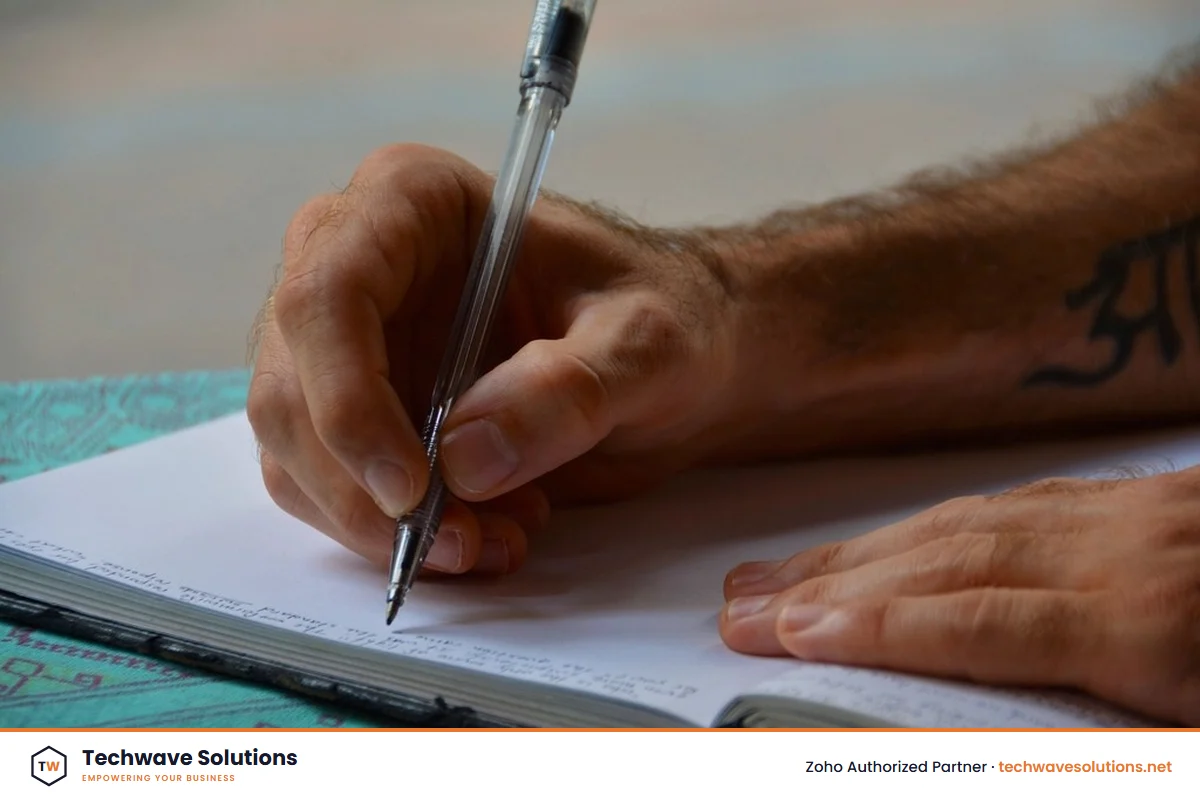
Signing needs the clients and witnesses in the same room, so dates are arranged by phone and often move. Once signed, the original goes into a fireproof cabinet or a storage facility, and its location is written in a book. Years later, no one reminds the family that their plan should be reviewed after a birth, a marriage or a death.
Long paper questionnaires
Handwriting, gaps and crossings-out mean follow-up calls before drafting can start.
Retyped details
Names, addresses and dates of birth are typed into each document, and errors creep in.
Signings that slip
Appointments set by phone are forgotten or moved, and drafts sit unsigned for weeks.
Originals in a book
Where each signed original is kept, and who has copies, depends on a handwritten log.
One family, three copies of the same details
The questionnaire, the drafts and the storage book never connect
Handwritten answers
Typed by hand
Logged on paper

Before: family details, drafts and the storage log are kept in separate places (illustration)
Why a client intake questionnaire decides the quality of every document
A will-writing matter is mostly data about people. One couple can name two executors, a guardian for each child, a dozen beneficiaries and several specific gifts. Every one of those people appears in more than one document, and every document has to spell them the same way.
When the client intake questionnaire is on paper, the data is captured in the least reliable form and then copied by hand. Each copy is a chance for an error that a client may not notice when reading a long draft. Document generation fixes this only if the answers are already structured, which is why intake comes first in this build.
The other weak point is time. A will is signed once and may not be read again for decades, so the service needs a record that still knows where the original is, and still reminds the family to review it, long after the consultant who wrote it has moved on.
Why Zoho CRM for estate planning, not a form tool and a folder
An online form on its own still leaves answers in an inbox. A shared folder of templates still needs someone to copy names across. Specialist will-drafting software usually fixes the document wording but not the appointments, the storage register or the review reminders.
Zoho CRM for estate planning ties those pieces together. Zoho Forms feeds the CRM, Zoho Writer merges from it, Zoho Sign and Zoho Bookings handle the engagement letter and the signing date, and Blueprints, custom modules and workflows keep every matter moving and every original accounted for.
Paper forms and a template folder
- Answers retyped into drafts
- Signings arranged by phone
- Originals logged in a book
- No review reminders
A tailored Zoho CRM
- Online intake into the matter
- Drafts merged from the record
- Storage register per document
- Dated review and life-event tasks
The solution design: one matter, its people and document generation from the record
Zoho CRM for estate planning runs the process, with Zoho Forms, Writer, Sign and Bookings connected through their standard integrations. Field names and the CRM edition are confirmed in discovery.
Online intake
A multi-page Zoho Forms questionnaire covering the client, partner, children, executors, guardians, beneficiaries, gifts and assets.
Contact and Matter
The client as a Contact, and the Deals module renamed Matters, holding services, stage and fees.
Plan People
A custom module with one record per executor, guardian or beneficiary, linked to the matter.
Merged drafts
Zoho Writer mail merge templates for each document type, filled from the matter.
Signing appointments
Engagement letter in Zoho Sign; witnessed signing booked in Zoho Bookings.
Storage register
A custom module recording each original, where it is held and every copy issued.
The matter fills the first draft
A consultant runs a mail merge and edits the result in Zoho Writer
MatterDraftingMirror wills, couple with two children
Draft documents2 draftsNames from one record
Edited in Zoho Writer
Reviewed before the client sees itA matter and the first drafts produced from it by mail merge (illustration, sample data)
The implementation: building Zoho CRM for estate planning step by step
Each step is written as trigger, data and next action, from intake to document generation and storage. Consultants still advise, word the documents and decide when legal review is needed; the system carries the data and the dates.
The client intake questionnaire goes online
Trigger: a family books an initial call and receives a link. Data: a multi-page Zoho Forms questionnaire with sections for personal details, partner, children, executors, guardians, beneficiaries, specific gifts and a summary of assets, with repeating sections for people. Next: the Zoho Forms integration with Zoho CRM creates or updates the Contact and creates a Matter at the Intake Received stage. Required fields and date formats mean a submitted client intake questionnaire has no blank names.
People become linked records
Trigger: a new Matter arrives from the form. Data: the repeating executor, guardian and beneficiary sections. Next: a Zoho Flow flow, or a Deluge function, creates one Plan People record per person, with Full Name, Relationship, Role, Date of Birth, Address and Share or Gift. The consultant checks them against the form during the first meeting rather than retyping them.
Document generation through Zoho Writer
Trigger: the consultant moves the matter to Drafting. Data: the Matter and Contact fields, plus summary fields a Deluge function fills from Plan People, such as Executors Text and Beneficiaries Text. Next: the consultant opens the matter, chooses Mail Merge and picks the template for a will, a power of attorney or a simple trust. Zoho Writer opens the merged draft for editing. Document generation produces a first draft only; the consultant words the wishes.
Blueprint holds the matter to its stages
Trigger: a user moves the matter on. Data: stage fields. Next: the Blueprint runs Enquiry, Intake Received, Drafting, Internal Review, Client Approval, Signing Appointment, Signed and Stored. Internal Review requires a Reviewed By field and, where the consultant flags it, Legal Review Completed. Client Approval requires the date the family confirmed the draft.
Seven stages, each with its own check
The key stages between intake and storage
Intake received
Form submitted
Zoho FormsDrafting
Merged and edited
Zoho WriterSigning
Witnessed, booked
Zoho BookingsStored
Register entry made
Zoho CRMKey matter stages in a Zoho CRM Blueprint, with the app used at each step (illustration)
Engagement letter in Zoho Sign, signing in person
Trigger: the family agrees the scope and fee. Data: services, fee and client details. Next: the engagement letter goes out from the matter through Zoho Sign and comes back signed electronically. The will itself is different: in most places it must be signed on paper in front of witnesses, so the matter moves to Signing Appointment and the family picks a slot in Zoho Bookings. The confirmed slot is logged on the matter, with reminders to the family and a task for the consultant to arrange witnesses.
Every original goes into the storage register
Trigger: the signed documents return to the office. Data: a Storage Register record per document with Document Type, Signed On, Original Location, Date Stored, Copies Issued To and Released On. Next: the matter can only move to Signed and Stored once each document has a register entry. When an executor later asks for the original, the location is a search, not a book.
Reviews on a date and on life events
Trigger: storage is complete, or a Life Event is recorded on the contact. Data: Next Review Date, set a chosen number of years after Signed On, and Life Event with its date (marriage, divorce, birth, death, house move). Next: a date-based workflow creates a review task and sends a letter on Next Review Date. A field update on Life Event creates a task to call the family that week.
Fees invoiced from the matter
Trigger: the engagement letter is signed, then the documents are signed. Data: the agreed fee and any deposit. Next: invoices are raised from the matter in Zoho CRM’s Invoices module or in Zoho Books, so the balance sits beside the work rather than in a separate ledger.
Requirements for valid wills, witnesses and powers of attorney vary by jurisdiction. The service’s consultants and its legal reviewers decide what each document needs. Zoho CRM for estate planning manages the process; it is not legal advice.
Reports for matters, signings and reviews
Because every matter in Zoho CRM for estate planning uses the same stages and dates, four reports run the weekly meeting.
Matters by stage
Open matters and how long each has sat.
Signings booked
Upcoming appointments and unbooked approvals.
Intakes waiting
Each client intake questionnaire sent but not returned.
Reviews due
Plans reaching their review date.
Every matter at a glance
Built on the stage and date fields every matter uses
Matters overview, January 2020Example matters overview dashboard in Zoho CRM (illustration, sample data)
What changes, and how to measure it
There is no measured baseline for this example, so the table lists what Zoho CRM for estate planning is meant to change, and the cards explain how to check each change after a pilot.
Draft corrections
Count name, date and address corrections found at internal review before and after document generation goes live.
Intake to draft time
Measure days from the client intake questionnaire being returned to the first draft, per document type.
Rescheduled signings
Track signing appointments moved or missed, comparing phone bookings with booked slots and reminders.
Register completeness
Check that every signed document has an entry with a location. The target is no gaps.
Day to day for each role
Four roles share Zoho CRM for estate planning.
Consultant
Checks new intakes, meets families, runs document generation and edits drafts in Zoho Writer.
Reviewer
Works the Internal Review stage, records legal review where required and returns drafts with notes.
Administrator
Chases each unreturned client intake questionnaire, confirms signing slots and witnesses, and makes register entries.
Family
Completes the questionnaire online, signs the engagement letter and picks a signing slot.
Rollout timeline for the client intake questionnaire and document generation
The rollout runs in five phases. Dates are set after discovery, because the number of templates and the size of the old storage book drive the effort.
Discover
Map questionnaire sections, document types, stages and review rules.
Migrate
Enter the storage book into the register and load open matters.
Configure
Form, modules, merge templates, Blueprint, Sign, Bookings and reminders.
Test
A sample family per document type, from form to storage.
Pilot and train
New enquiries first, then open matters.
Two tasks need the most care. The storage book must be entered in full, because the register is only useful if it is complete. And each merge template must be tested with awkward data, such as two guardians, no children or a gift to a charity, so document generation never produces a draft with a blank where a name should be.
Zoho CRM for estate planning FAQ
Can families fill in the questionnaire online?
Yes. A multi-page Zoho Forms client intake questionnaire sends the answers into Zoho CRM as a contact and a matter.
Does document generation write the will?
No. A Zoho Writer mail merge fills names and details into a template; the consultant writes and checks the wording.
Can wills be signed electronically?
Usually not. Wills generally need signing in person with witnesses, so the signing is booked in Zoho Bookings. Zoho Sign is used for the engagement letter.
How do we find an original years later?
Search the storage register, which records each document’s location, date stored and copies issued.
Is the CRM giving legal advice?
No. Legal requirements vary by jurisdiction. The CRM manages the process; advice stays with the service’s consultants and legal reviewers.
How Techwave Solutions can help
Techwave Solutions is an Authorized Zoho Partner working with Zoho since 2015. We set up Zoho CRM for estate planning and other document-led services: online intake forms, matter and people modules, Zoho Writer merge templates, Blueprints, Zoho Sign and Zoho Bookings connections, storage registers and training built on your own documents.
Learn more about Zoho CRM, see a related setup in our Zoho CRM for real estate overview, or book a free first call with a Zoho consultant to map your own process.
Talk to a Zoho consultant
Choose the Zoho plan that fits your team
Zoho CRM covers matters, people and the register. Zoho One adds Forms, Writer, Sign, Bookings and Books in one subscription.


Partner sign-up links from Techwave Solutions, an Authorized Zoho Partner.
This is a solution overview built around a composite example. Business details and dashboard figures are examples, not results reported by a specific client.