
Fluent Forms
A Fluent Forms Zoho integration sends every WordPress form submission to your Zoho apps automatically, with no copying and pasting. With FormBridge for Zoho, Fluent Forms is the trigger, and the captured data goes to Zoho CRM, Zoho Bigin, Zoho Books, Zoho Desk, Zoho Campaigns or Zoho Marketing Automation.
This guide shows how to select Fluent Forms as the trigger, name your feed and choose the form, ready for the Zoho action.
Before you start
Check these before you create the feed.
How to set up Fluent Forms with FormBridge for Zoho
Follow these four steps to make Fluent Forms the trigger for your Zoho integration.
Step 1: Create a new integration feed
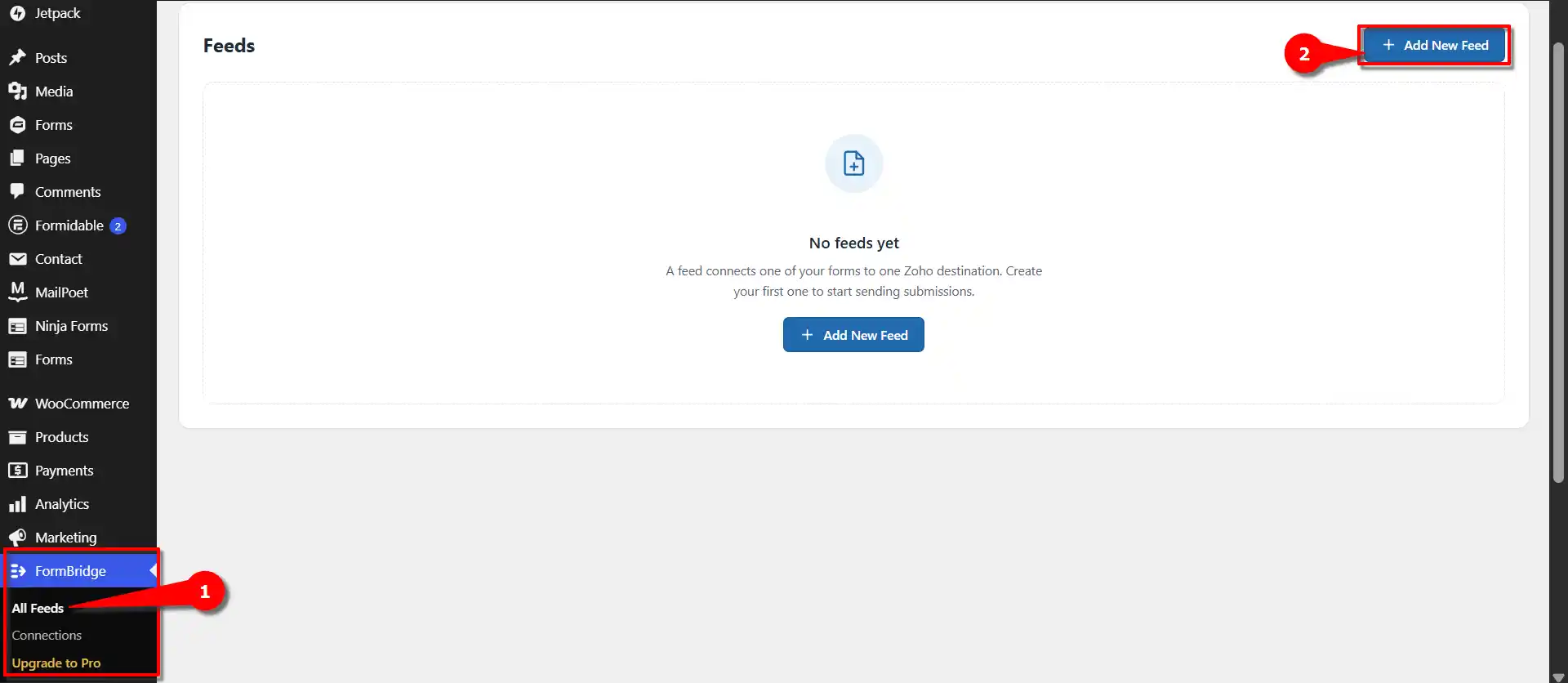
FormBridge for Zoho › FormsIn your WordPress dashboard, open FormBridge for Zoho, click All Feeds, then click + Add New Feed.
Step 2: Select Fluent Forms as the trigger
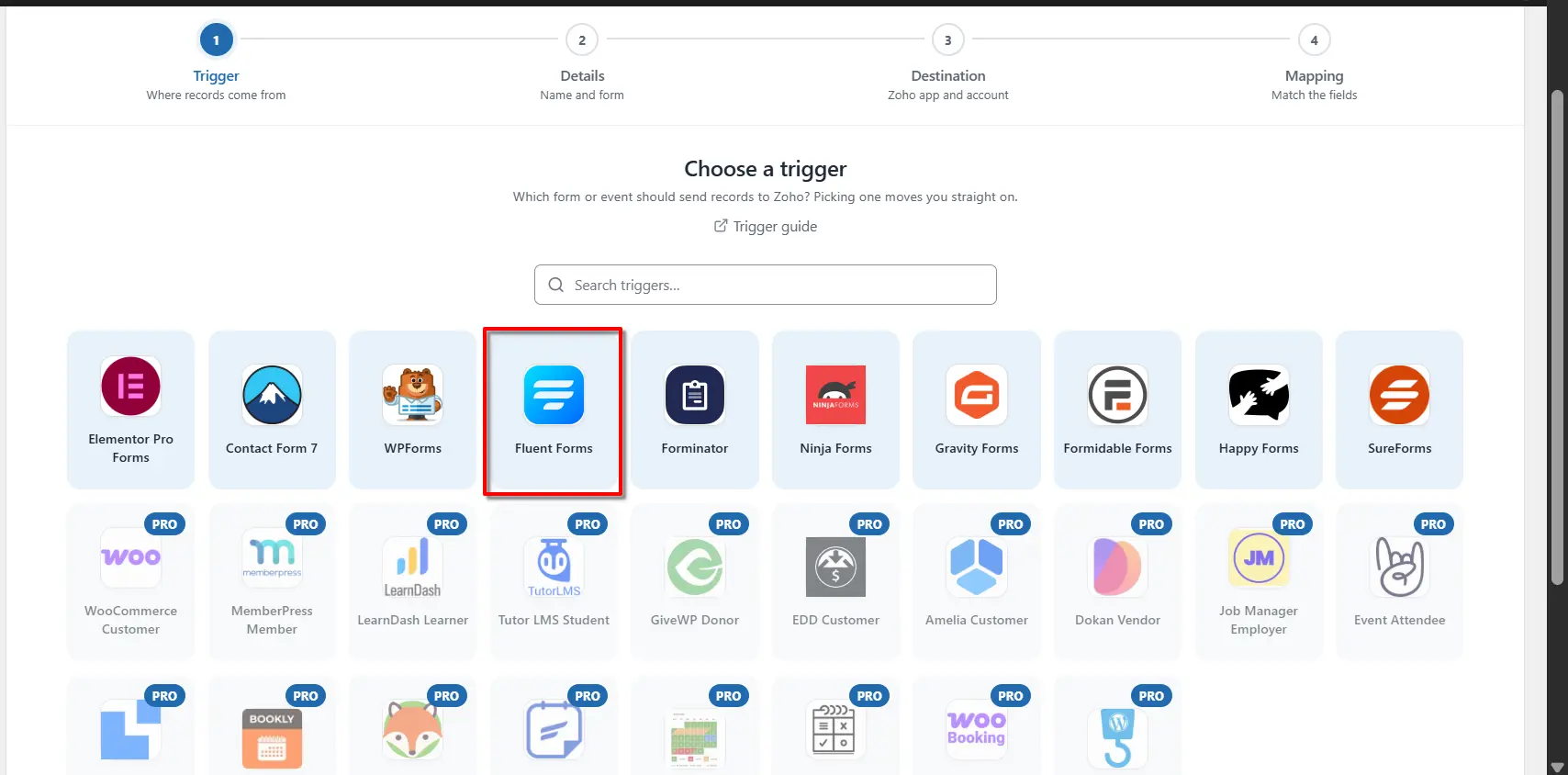
New feed › Trigger appFrom the list of trigger apps, select Fluent Forms. The feed will now run each time the Fluent Forms form you choose is submitted.
Step 3: Enter a feed title
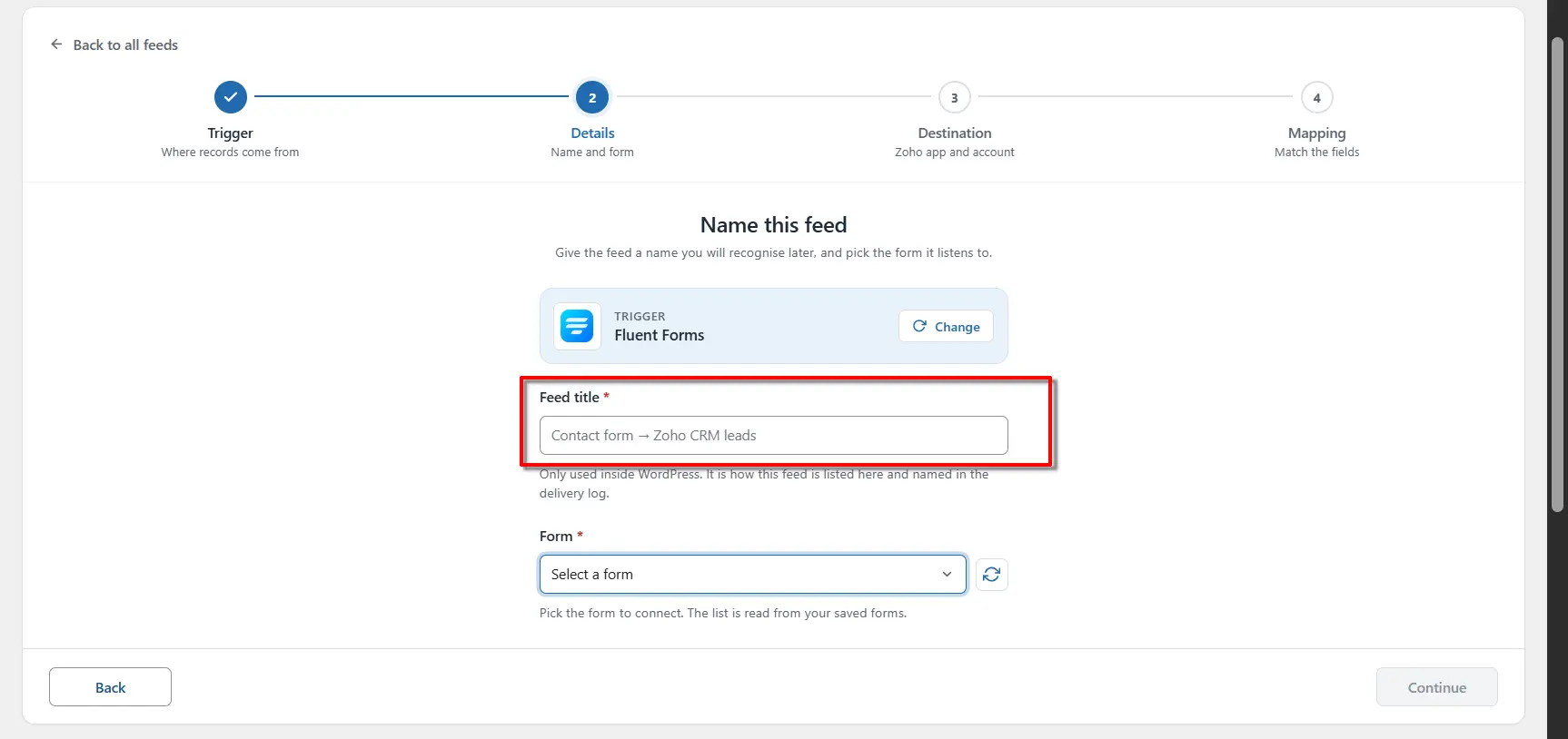
New feed › Feed titleOn the Name this feed screen, enter the required information. In the Feed title field, enter a name of your choice.
Step 4: Select your form
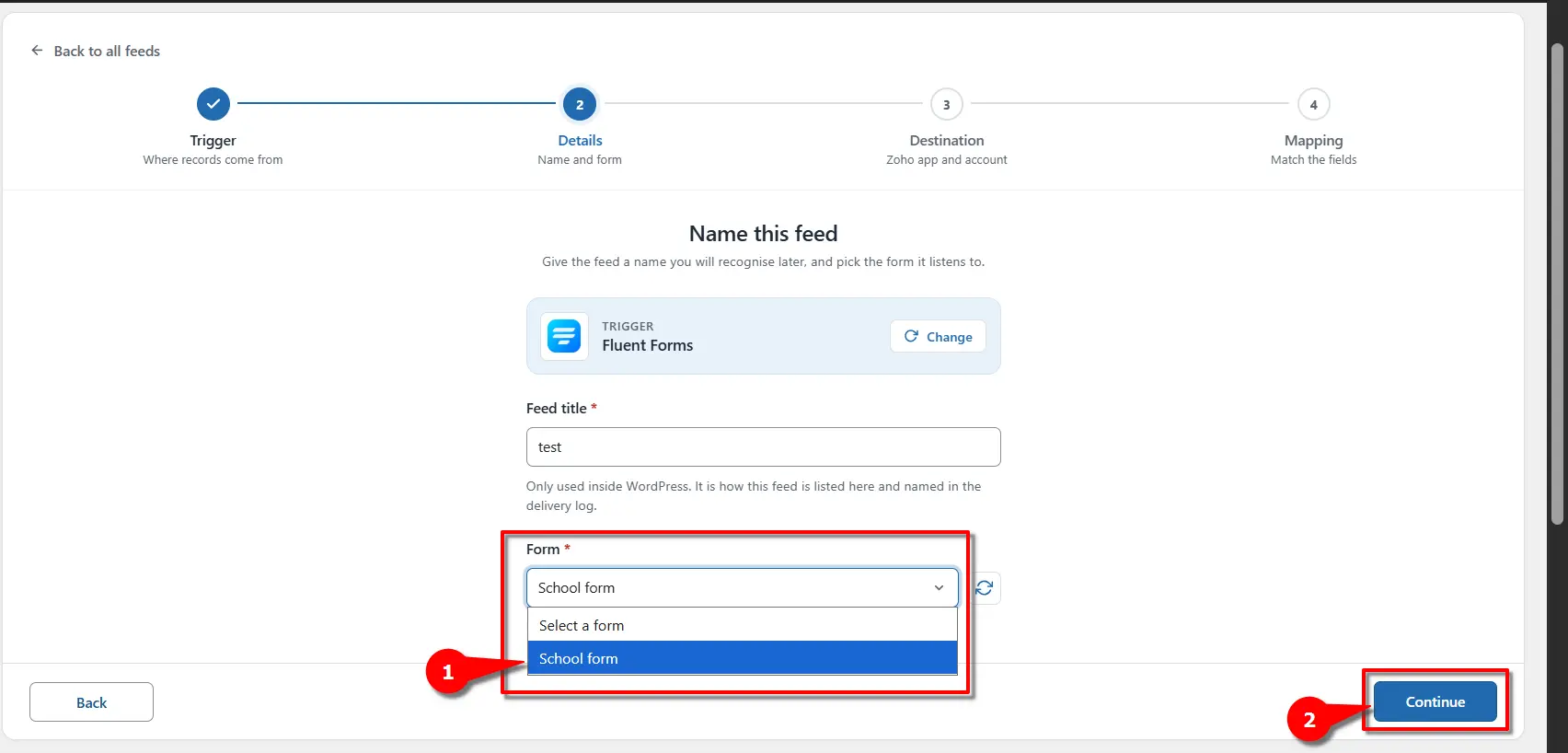
New feed › FormOpen the Form dropdown, which lists your Fluent forms. Select the one that should send data to Zoho, for example School form, then click Continue.
One feed, one formEach feed listens to exactly one form. To connect another Fluent Forms form, create another feed.
Next step: configure the Zoho action
After completing these steps, go to the Destination section and select the Zoho Action you want to connect with your selected Trigger. This allows FormBridge for Zoho to send your form submission data to the selected Zoho application automatically.
Frequently asked questions
Can I connect Fluent Forms to Zoho CRM?
Yes. Use Fluent Forms as the trigger and Zoho CRM as the action. After selecting your form, choose Zoho CRM, pick a module such as Leads or Contacts, and map your Fluent Forms fields to the matching CRM fields.
Does this work with the free version of Fluent Forms?
Yes. FormBridge for Zoho reads submissions from any Fluent Forms form, so the free version works as a trigger.
Can I connect different Fluent Forms forms to Zoho?
Yes. Create a separate feed for each form. One form can create Zoho CRM leads while another sends data to Zoho Desk, Zoho Books or another supported Zoho app.
Do I need coding for the Fluent Forms Zoho integration?
No. FormBridge for Zoho is set up entirely from its settings screens. You select Fluent Forms, choose your form, pick a Zoho app and map the fields without writing any code.
How do I check that a submission reached Zoho?
Submit the form with test data, then open FormBridge for Zoho → Logs. Every delivery is listed with its result, and failed deliveries can be resubmitted.
Want the whole setup in one place? Read the complete Fluent Forms to Zoho integration guide, or email support@techwavesolutions.net for help.
