
Connect SureForms to Zoho Books with FormBridge for Zoho
SureForms The best WordPress Form Plugin to create Contact Form, Feedback Form, Event RSVP Form, Payment Form, Quizzes, Surveys, and much more in minutes using AI!
FormBridge for Zoho is a handy WordPress plugin that connects the form plugin you already use to your Zoho apps without needing to write any code. You can link up any of ten popular form plugins, including Elementor Pro Forms, Contact Form 7, WPForms, and Gravity Forms, with six Zoho apps: Zoho CRM, Zoho Bigin, Zoho Books, Zoho Desk, Zoho Campaigns, and Zoho Marketing Automation.
In this guide, we’ll show you how to use SureForms as a trigger, and send every new submission into Zoho Books as a Lead automatically.
Setup Sure Forms to Zoho Books Integration
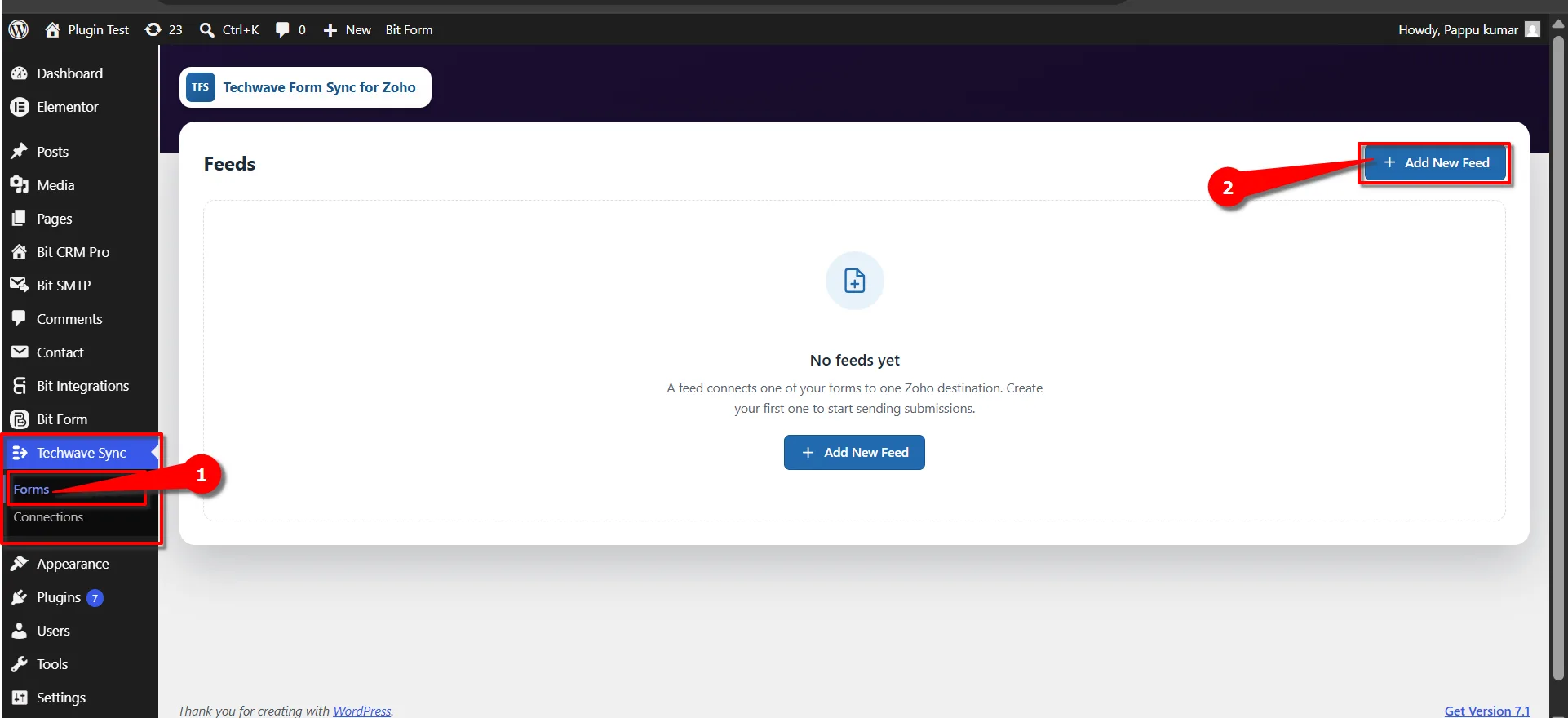
First, go to your FormBridge for Zoho dashboard, click on Forms, and then + Add New Feed.
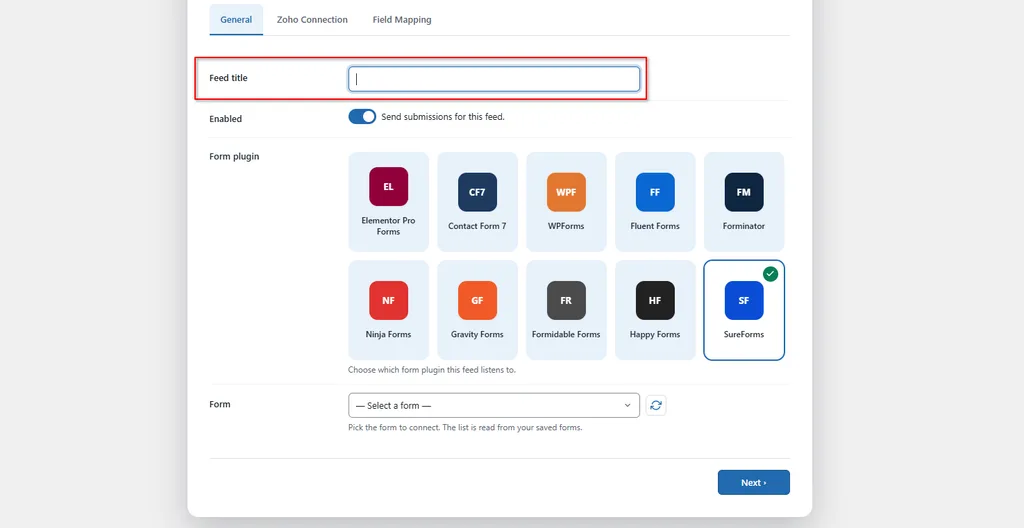
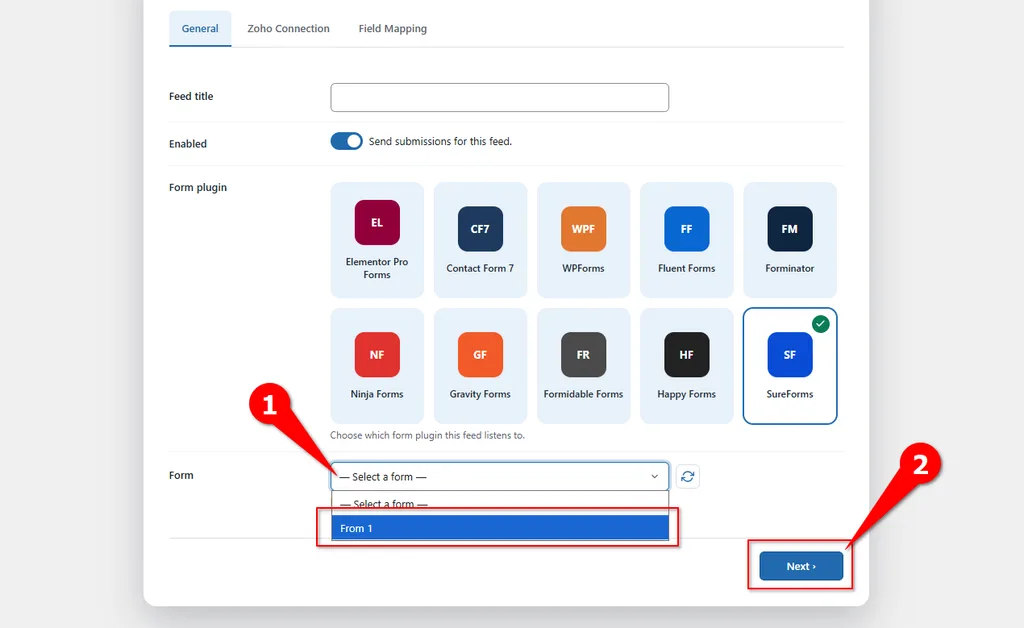
On the add feed screen, fill in the necessary information. Put your desired name in Feed title.
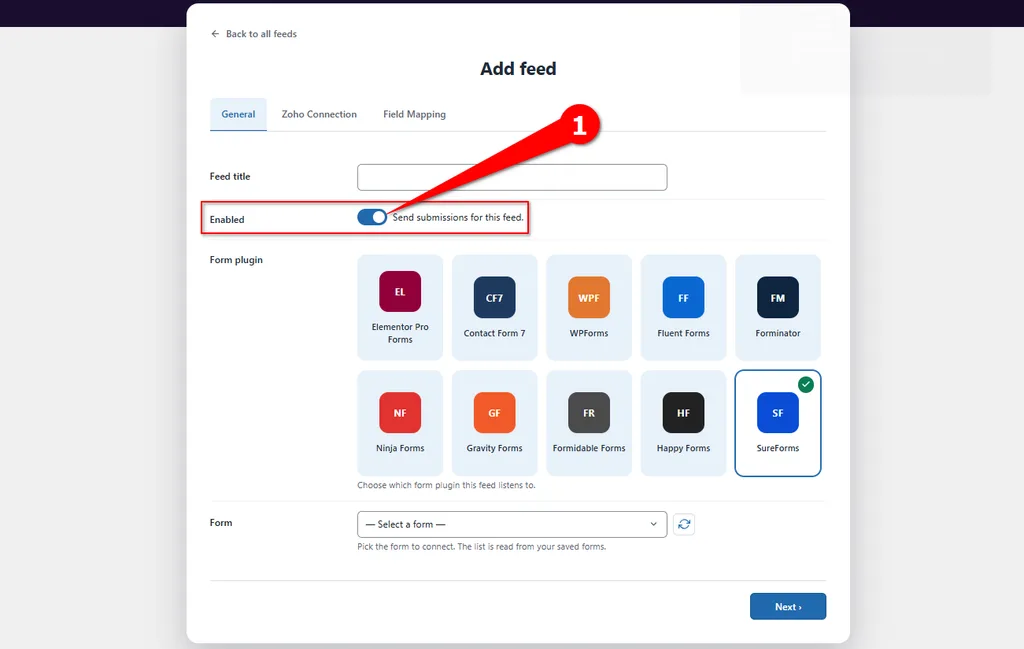
Then you need to make sure Enabled (Send Submissions for this feed) is turned on.
 Note
Note
If this is turned off, Submissions data the selected form will not be sent to zoho.
After that, the most important thing is to select your Trigger. In this case, we are selecting SureForms.
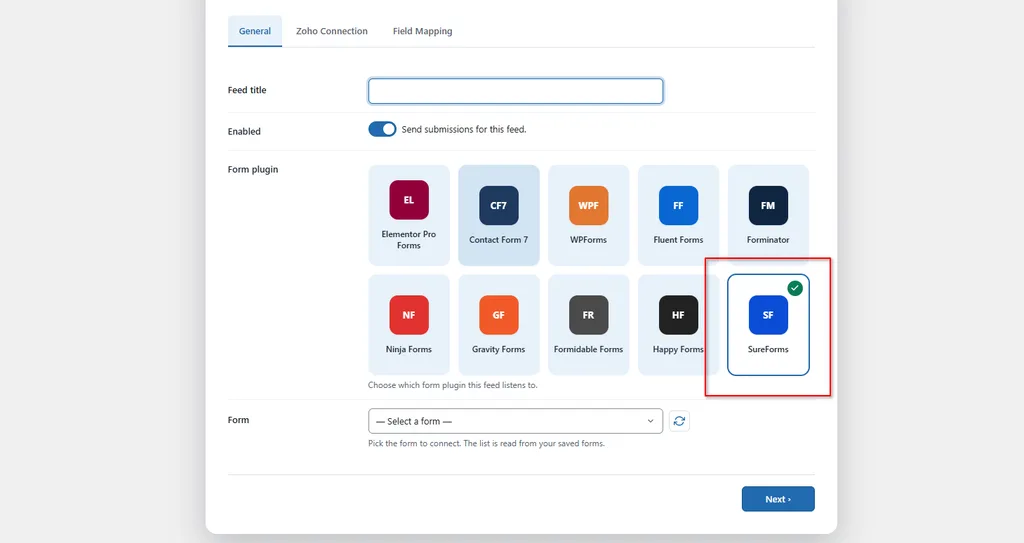
Once you select the Trigger, you can see the form list in the form dropdown. Select the form that you want to use for sending data to Zoho Books, for example Form 1 and then click Next.
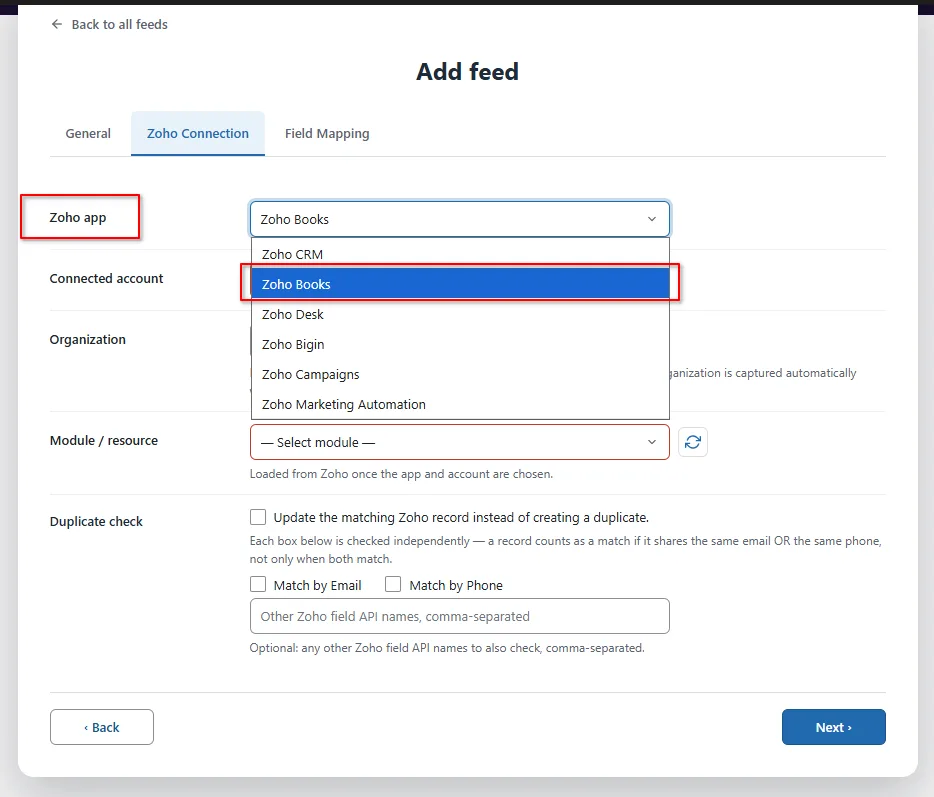
You’ll now arrive on the Zoho Connection tab. Here, first select Zoho app from the dropdown menu select Zoho Books.
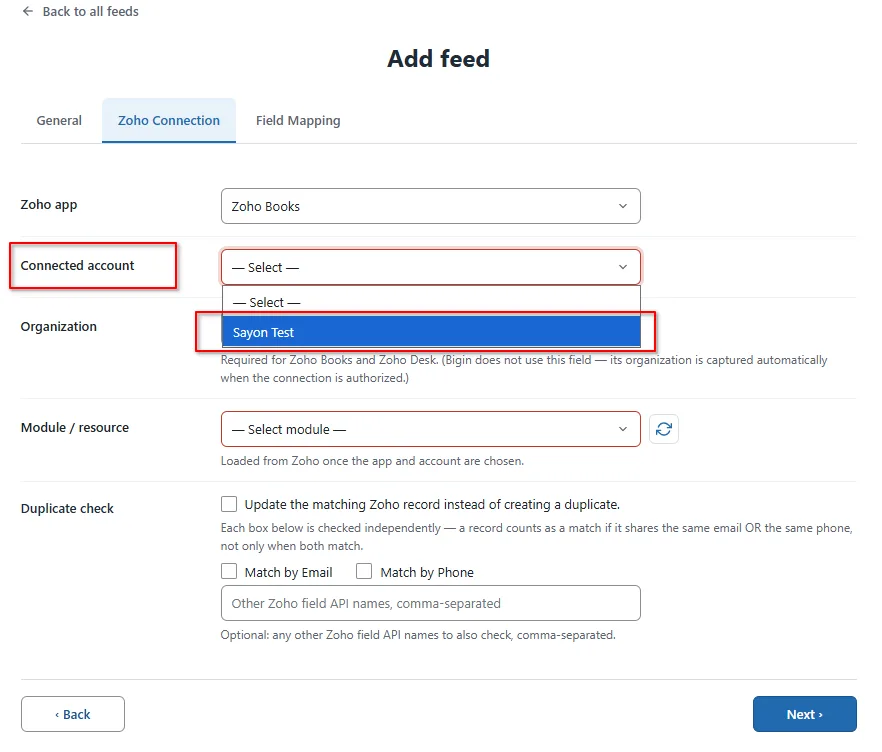
Now select the Connected account that you have already created. If you haven’t created one yet, set that up first under FormBridge for Zoho → Connections.
Click Here How to Create connections →
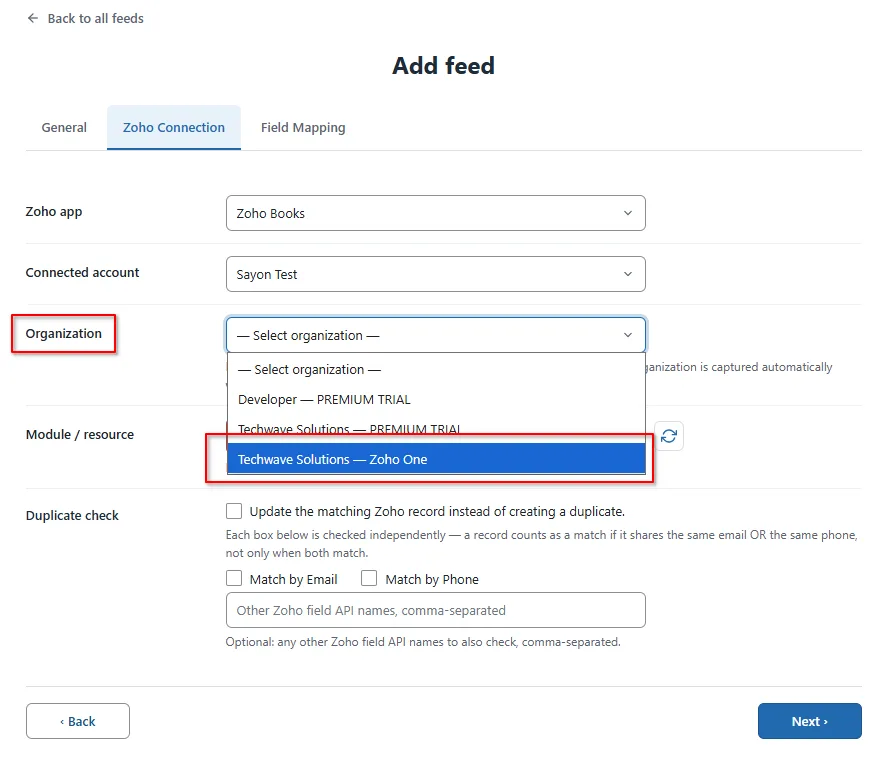
From the Organization dropdown menu, select your preferred Zoho Books organization.
From the Module / resource dropdown menu, select the module where you want to send your form submission data.
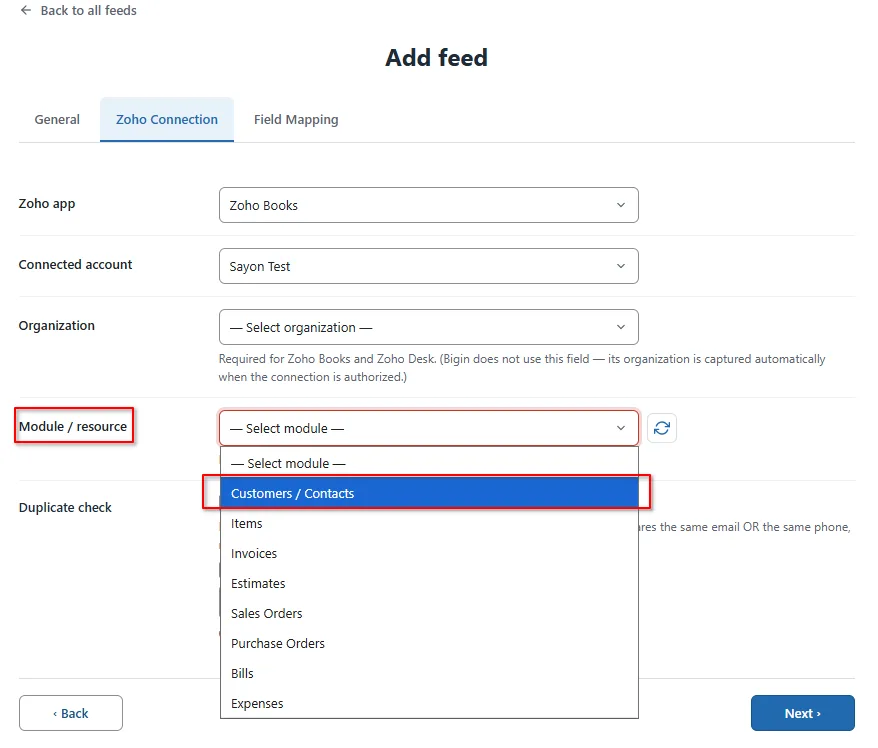
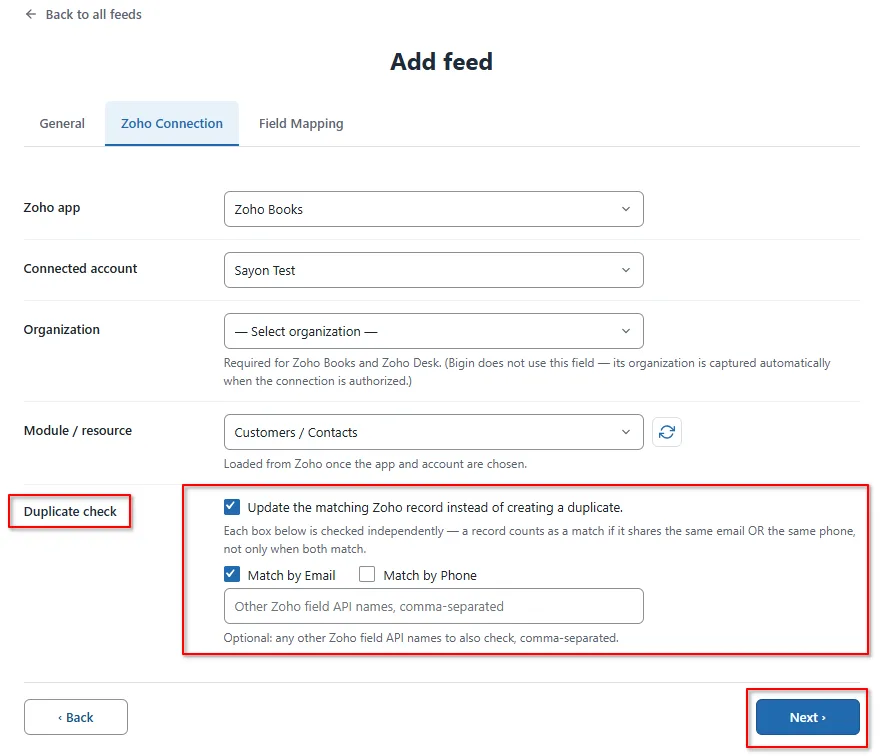
From the Duplicate check field, you can check for duplicates and update the record if it already exists in Zoho, based on email, name and other fields. Check Box match by Email or Match by Phone a record counts as a match if it shares the same email OR the same phone, not only when both match. Then click Next.
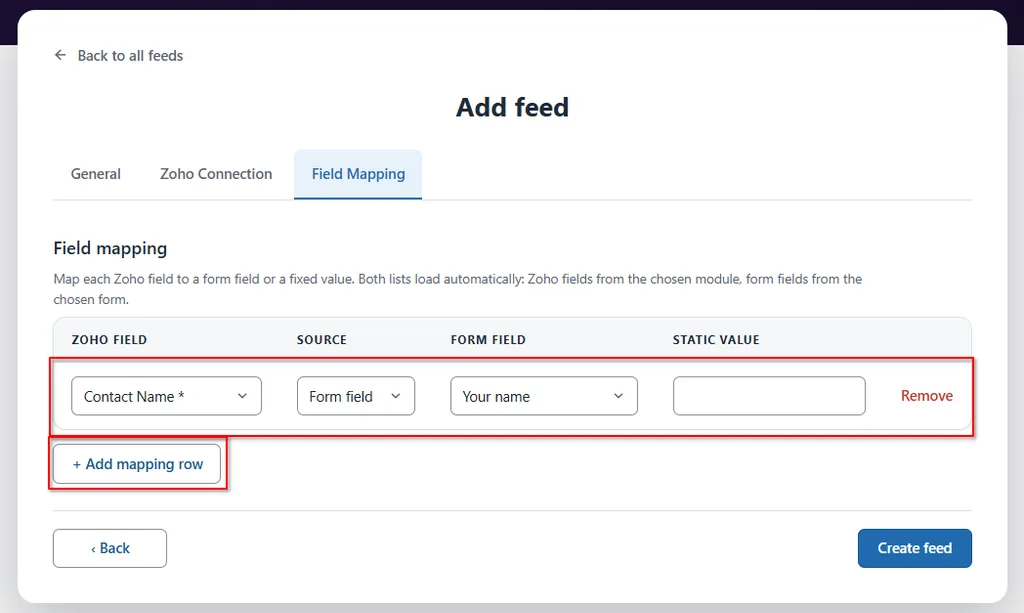
Field Mapping: Here you need to map your form fields to the matching fields in the Customers/Contacts module in Zoho Books. The “Contact Name” field is required in Zoho Books, so make sure to map your form’s Contact Name field to it. You can also click the “Add mapping row” button to map additional Form fields.
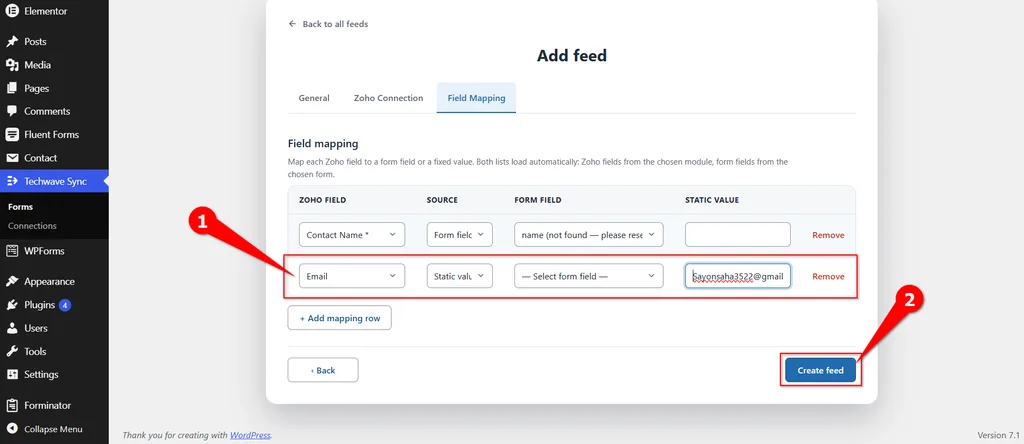
From the mapping, you can also set a static value if you want, instead of mapping it to a form field.
Once your necessary fields are mapped, click on the Create feed button.
Now, to check your connection, go and submit the form that you selected for this integration. Then you can see the status from the timeline.
Info
Every delivery, success or failure, is recorded on the FormBridge for Zoho → Logs screen, with a one-click Resubmit option for anything that failed.
Note
- One feed always listens to exactly one SureForms. If you have two SureForms that should both go to Zoho Books, create two feeds.
- Switching the Zoho app, account, or module after you’ve already mapped fields will clear the mapping rows below map fields again after changing any of these.
- To find the exact Zoho Books field API names, go to FormBridge for Zoho → Connections and use the Modules & fields button for that account.
